Technical Guide to Implementing Persona in AI

Creating a unique personality for your AI is just the beginning. The real magic happens when you bring that personality to life!  AI tools like ChatGPT are changing how we work and talk to each other. “Persona” is a key idea in making the most of this new tech. AI isn’t just giving us basic answers anymore. With Personas, we can shape those answers to fit our needs and the people we’re talking to.

Personas make AI more than just a voice. They bring accuracy, steadiness, and a human touch to what AI creates. Whether it’s a client pitch, marketing ideas, or talking to customers, Personas help AI say the right thing, the right way, to the right people.

This guide is for anyone who wants AI to do more than just the basics – managers, professionals, anyone. We’ll look at how to build, use, and tweak Personas in tools like ChatGPT. Plus, we’ll share real-world tips and examples. Let’s see how Personas can turn AI from a helper into a partner that’s perfect for what you need.

Getting to Know Personas for AI Writing

Personas are like blueprints for how AI, like ChatGPT, talks and writes. When you create a Persona, you’re telling the AI how to sound, what words to use, and what style to write in. This helps the AI create text that fits the situation and connects with the people reading it. Basically, Personas make AI more than just a tool – they make it a partner that understands the job.

Implementing Persona in AI

How Personas Shape AI’s Words?

When you use AI to write, a Persona acts as a guide. It decides:

  • Tone: Should the writing be formal, casual, or friendly?
  • Style: Should it be short and to the point, or full of description and creativity?
  • Vocabulary: Should the words be simple and easy, or use special terms that experts understand?

By setting these things beforehand, you make sure the AI writes exactly what you need and speaks to your readers in the right way.

Personas in Action

Here are a few examples of how Personas can change the way AI writes:

  • The Report Writer: This Persona uses a formal tone, specific terms, and clear sentences to create professional reports and summaries.
    • Example: “Imagine you’re writing a quarterly business report for important people. Be formal, use the right terms, and present the data clearly.”
  • The Creative Writer: This Persona uses an engaging tone, and everyday language, and might even tell stories or use humor to create things like blog posts and marketing materials.
    • Example: “Imagine you’re writing a blog post about how to live more sustainably. Make it interesting, use a friendly tone, and inspire people to be more eco-friendly.”
  • The Helpful Assistant: This Persona uses a supportive and patient tone, with simple and clear language, to answer customer questions and solve problems.
    • Example: “Imagine you’re helping a customer whose order is late. Apologize, explain what happened, and offer a solution.”
  • The Email Pro: This Persona uses a confident and persuasive tone, with words that focus on benefits, to write emails that convince people or sell ideas.
    • Example: “Imagine you’re an expert writing an email to sell a new product. Highlight the good things about it and be persuasive.”

Why Are Personas Important?

Without a Persona, AI writing can seem all over the place and not fit what you need. By creating Personas for different tasks, you can make sure the AI writes correctly, engaging, and gets the job done.

Understanding how Personas guide AI is the first step. Next, we’ll look at how to create and use Personas to make your writing even better.

Finding the Right Persona for Your AI Writing

To make AI writing really shine, you need the right Persona. This means knowing what you want to achieve and who you’re writing for. By matching the Persona to your task, you can guide AI tools like ChatGPT to create text that’s not just correct, but also interesting and effective.

Figuring Out Your Goal and Your Audience

  • What’s the Point? First, decide what you want your writing to do. Are you trying to teach, persuade, entertain, or solve a problem? This will shape the tone, style, and words you use in your Persona.
    • Example: A project proposal needs to sound formal and authoritative, while a blog post might be more conversational and engaging.
  • Who Are You Talking To? Knowing your readers is key. Think about:
    • Who they are: Their age, job, and background.
    • What they expect: What kind of tone and language will they connect with?
    • Why they’re reading: Are they looking for information, reassurance, or inspiration?
    • Example: A busy executive might want short, factual content, while a casual reader might prefer a friendly and approachable tone.
  • Where is this Going? Figure out where your writing will be seen. Is it an internal email, a public blog, or a customer service chat? This “context” helps you decide how the Persona should “speak.”

Matching Your Persona to the Task

Once you know your goal and audience, you can fine-tune your Persona:

  • Set the Tone:
    • Formal: Use a professional and respectful tone for reports, proposals, or legal documents.
    • Persuasive: Sound enthusiastic and confident when pitching ideas or products.
    • Casual: Use a conversational and friendly tone for blog posts or social media.
  • Choose the Right Style and Words:
    • Concise and Factual: Great for reports or technical stuff.
    • Descriptive and Creative: Best for storytelling or exciting copywriting.
    • Reassuring and Empathetic: Perfect for customer service.
    • Tip: Use special terms if you’re writing for experts, but keep it simple for everyone else.
  • Give Clear Instructions: Write detailed prompts to tell the AI how to act.
    • Example: “Imagine you’re a marketing consultant writing an email to promote a new product to a company. Be formal, clear, and convincing.”
Implementing Persona in AI

Personas in the Real World

Let’s see how ChatGPT can change its Persona for different writing tasks:

  • Writing a Formal Report:
    • Goal: Summarize how a company did for its stakeholders.
    • Persona: Formal, precise, and analytical.
    • Prompt: “You’re writing a summary of how the company performed. Be formal and use data to explain things clearly.”
    • Example Output: “The company’s revenue grew by 15% in Q3 because of increased sales and new customers. See below for details.”
  • Writing a Blog Post:
    • Goal: Encourage people to live more sustainably.
    • Persona: Conversational, motivational, and relatable.
    • Prompt: “You’re writing a blog post about easy ways to be more eco-friendly. Make it engaging and give practical tips.”
    • Example Output: “Small changes can make a big impact! Using reusable bags and ditching single-use plastics is a great start. Let’s explore more ways to go green!”
  • Answering a Customer Question:
    • Goal: Help a customer who’s upset about a late delivery.
    • Persona: Empathetic, patient, and solution-focused.
    • Prompt: “You’re helping a customer whose delivery is late. Apologize, explain what happened, and offer a solution.”
    • Example Output: “I’m so sorry your delivery is late. It seems there was a problem with shipping. We’ve sped up your order, and it should arrive in two days. Thanks for your patience!”

By choosing the right Persona for each task, you ensure that AI writing isn’t just accurate, but also meets the needs and expectations of your readers. This makes your AI-powered communication more effective and helps you achieve better results.

Building Personas in AI Tools

To use Personas effectively in AI tools like ChatGPT, you need to give the AI clear instructions and use features like “context windows” to keep things consistent. Here’s how you can guide the AI to create the kind of output you need:

1. Writing Clear Instructions

Think of these instructions as your way of telling the AI how to act and communicate. Good instruction tells the AI what kind of Persona to use, what tone and style to write in, and what the goal of the writing is.

What Makes a Good Instruction?

  • Define the Role: Tell the AI who it should pretend to be.
  • Set the Tone and Style: Explain how the AI should sound and how the writing should be structured.
  • State the Goal: Say what you want the writing to achieve (e.g., inform, persuade, show empathy).

Examples of Clear Instructions:

  • “Imagine you’re a consultant writing a proposal for a client. Use a formal tone and give clear recommendations.”
    • Expected Output: “Dear Client, based on our analysis, we suggest using this strategy to increase efficiency by 20% this quarter.”
  • “Imagine you’re a marketer brainstorming ideas for a new fitness product. Use a conversational tone and suggest three creative strategies.”
    • Expected Output: “How about a social media challenge? Or we could do live workouts with influencers. We could also create a loyalty program with discounts.”

2. Using Context Windows

When you’re working on longer pieces of writing, it’s important for the AI to stay consistent. ChatGPT uses “context windows” to remember what was said earlier in the conversation.

How to Use Context Windows:

  • Set the Persona Early: Start by clearly defining the Persona in your first instruction.
    • Example: “Imagine you’re a technical writer creating a guide for a software product. Use a formal tone and include technical terms.”
  • Give Reminders: In your next instructions, remind the AI of the Persona.
    • Example: “Keep writing in the same professional tone and explain the technical details.”
  • Correct Mistakes: If the AI starts to stray from the Persona, give it a correction.
    • Example: “This part sounds too casual. Please rewrite it in a more formal tone, like we talked about before.”

3. More Instruction Examples

Here are more ways to create instructions for different Personas:

  • Consultant: “Imagine you’re a consultant talking to a client about project delays. Be formal, understanding, and focus on solutions.”
    • Expected Output: “We know about the delays and we’re sorry for any trouble. To fix this, we’ve added more resources and changed the timeline to make sure we deliver on time.”
  • Marketer: “Imagine you’re a marketer brainstorming ideas for a product launch. Be enthusiastic and innovative.”
    • Expected Output: “Let’s make this launch amazing! How about a countdown on social media with teaser videos? We could also have a special pre-launch event for influencers.”
  • Customer Support: “Imagine you’re answering a customer complaint about a broken product. Apologize and offer a clear solution. Use a calm and supportive tone.”
    • Expected Output: “I’m really sorry about the broken product. We’re going to replace it for free. Thanks for letting us know.”

Tips for Using Personas

  • Try Different Instructions: Experiment with different ways of saying things to fine-tune the AI’s Persona.
  • Combine Instructions: Give detailed instructions that include the tone, style, and goal all at once.
  • Check the Output: Regularly look at what the AI is writing to make sure it matches the Persona you defined.

By writing clear instructions and using tools like context windows, you can use Personas effectively in ChatGPT to create writing that is accurate, engaging, and meets your goals. This helps your AI communication stay consistent and impactful across all kinds of tasks.

Customizing Responses for Specific Needs

Even if you tell the AI who to be, you’ll likely need to tweak its responses. Here’s how to get the AI to say exactly what you want:

1. Give Feedback

Tools like ChatGPT let you improve the AI’s writing.

  • Be clear: Tell the AI what to change (e.g., “Make it more formal”).
  • Be specific: Give feedback on specific parts (e.g., “Simplify this”).

2. Create Templates

For tasks you do often, create templates to save time and keep a consistent “voice.”

  • Give the AI instructions: Tell it who to be and what to do.
  • Improve the response: Make any changes needed.
  • Save it: Reuse the template for similar situations.

3. Putting it All Together

  • Start with a clear request: Tell the AI what to write.
  • Improve the response: Give feedback to make it perfect.

Tips for Success

  • Keep improving: Don’t be afraid to give lots of feedback.
  • Stay consistent: Use templates to keep the AI’s “voice” the same.
  • Work together: Ask others for feedback.
Implementing Persona in AI

Conclusion

Mastering Personas in AI tools like ChatGPT is no longer a futuristic concept, but a vital skill for professionals in today’s communication landscape. By understanding how to define, implement, and refine Personas, you can unlock the true potential of AI as a collaborative partner. This allows you to elevate your writing, crafting compelling content that resonates with specific audiences and achieves your communication goals. 

You can also boost efficiency by creating reusable templates and automating repetitive tasks, ensuring your brand voice and messaging remain consistent across all AI-generated content. Furthermore, using AI as a brainstorming partner, enhanced by Personas, helps generate fresh ideas and explore new perspectives. 

As AI continues to evolve, the ability to harness Personas will become increasingly important. By embracing these techniques, you can transform AI from a simple tool into a powerful extension of your own communication expertise, empowering you to navigate the complexities of the modern workplace with clarity, confidence, and impact.

Ready for a brain boost? Take this quiz to strengthen your knowledge.

0

Implementing Persona in AI

Find out how much you know about the technical AI persona.

1 / 10

Why are personas important in AI communication?

2 / 10

What’s the first step in creating an AI persona?

3 / 10

Which tone would suit a persona for professional reports?

4 / 10

What does the "Helpful Assistant" persona focus on?

5 / 10

What should a persona for a marketing email be like?

6 / 10

How can a persona stay consistent in long AI interactions?

7 / 10

What does “set the tone” mean when creating a persona?

8 / 10

What type of language suits a persona for customer service?

9 / 10

Which persona works best for creative writing tasks?

10 / 10

How can personas improve AI output?

Your score is

The average score is 0%

0%

What is Persona? Why It’s Key To Getting Better Results With AI

Ever had a chat with an AI that felt surprisingly human, while others seemed a bit… robotic?  The secret ingredient is often “Persona.”  It’s like giving the AI a personality, a unique style that shapes how it talks and interacts.

Think of it like this: persona is the AI’s character. Is it upbeat and helpful? Formal and professional? Just like people, different AIs have different personalities, and that shapes how they talk and interact. This makes your conversations flow more naturally, almost as if you’re chatting with another human.

So, what exactly is this “persona” thing, and why is it so important? In this post, we’ll break it down in simple terms. We’ll explore how persona can make AI feel more relatable and why it’s key to having a good experience with AI. Let’s jump in and discover how this simple idea can totally change the way we connect with AI.

What is Persona in AI?

Click on the image to see a full infographic (opens in new tab)

What exactly is this “persona” thing in AI? Simply put, it’s like giving the AI a personality. Just as we have different ways of talking and interacting, AI can too. This helps it connect with us on a more human level.

Persona sets the tone for how the AI communicates. A helpful chatbot might be friendly and encouraging, while a virtual assistant for a lawyer might be more formal and to the point. Without a persona, the AI might seem out of place, like it doesn’t quite “get” the situation.

What is Persona?

Here are a few examples:

  • Friendly chatbot: Imagine a chatbot on a shopping site that’s super cheerful and helpful, guiding you through your purchase with a smile.
  • Serious virtual assistant: Now picture an AI assistant for a lawyer, using precise language and a professional tone.
  • Tech-savvy helper: Think of a bot that helps you fix computer problems, using casual language and maybe even cracking a joke or two.

See how different that feels? Each persona creates a unique experience, making the AI seem more relatable and helpful. By giving AI a personality, we make it easier to connect and interact, bridging the gap between humans and machines.

Why Persona Matters for AI Communication?

It’s more than just a cool feature; giving your AI a personality is key to good communication. When your AI has a clear personality, it makes conversations better, helps people understand it, and meets their expectations. Let’s see why this is so important.

Benefits of a Defined Persona

More Engaging: A personality makes your AI feel real and relatable, keeping users interested and involved. For example, a friendly AI might encourage people to ask more questions, while a formal AI could build trust in professional settings.

Click on the image to see a full infographic (opens in new tab)

Easier to Understand: Personality sets the tone and style of your AI’s responses, making sure the language is easy to understand. It avoids confusion by matching how it communicates to the user’s preferences.

Click on the image to see a full infographic (opens in new tab)

Better, More Personal Responses: By matching your AI’s personality to the conversation’s purpose, responses become more personalized and fitting. This not only improves the user experience but also builds trust and satisfaction.

Click on the image to see a full infographic (opens in new tab)

A Simple Example

Imagine someone needs help with a tech issue from an AI chatbot. Here’s how personality changes things:

No Personality The AI says plainly: “Please reset your router. If the problem persists, contact your service provider.” This is technically correct, but it feels cold and unhelpful. The user may feel frustrated.

With a Friendly Personality The AI says helpfully: “No worries, tech hiccups happen! ???? Try resetting your router first—that usually does the trick. If it doesn’t, I’m here to guide you through the next steps.” It’s the same information, but the friendly tone reassures the user and makes it feel more human.

By giving your AI a clear personality, you make it more than just a tool. It’s about how the AI says things, not just what it says. This small change in communication can greatly improve user satisfaction, helping businesses and people have better conversations and achieve more.

What is Persona?

How to Start Defining a Persona?

Creating a persona for your AI is like giving it a personality that fits your audience. It’s about making sure your AI communicates in a way that feels natural and engaging. A well-defined persona helps your AI connect with users and effectively deliver its message. Here’s how to get started:

1. Know Your Audience

Click on the image to see a full infographic (opens in new tab)

Before you can create a persona, you need to understand who your AI will be talking to. Ask yourself:

  • Who are they? Are they professionals, students, or everyday people? Each group has its own communication style.
  • What’s the goal? Is your AI there to provide customer support, help with business communication, or offer educational content?
  • How should people feel? Should your AI come across as calming, motivating, or authoritative?

For example:

  • Business professionals often appreciate a formal and precise tone.
  • Younger audiences might prefer a friendly, conversational style.

2. Set the Tone and Style

Click on the image to see a full infographic (opens in new tab)

Once you know your audience, it’s time to decide how your AI should communicate:

  • Tone: Should it be formal, casual, or somewhere in between?
    • Formal: “I will assist you in resolving this matter promptly.”
    • Casual: “Let’s sort this out together—no stress!”
  • Language: Should it use simple words, technical terms, or a mix of both?
    • Simple: “Let’s start by restarting your device.”
    • Technical: “Please initiate a power cycle for your router.”

3. Create a Personality Snapshot

Click on the image to see a full infographic (opens in new tab)

Think of this as a quick bio for your AI. It will guide how it communicates. Include things like:

  • Key Traits: Is it friendly, professional, empathetic, or humorous?
  • Voice: Should it sound human-like or robotic?
  • Boundaries: What should it avoid, such as slang or overly technical language?

4. Stay Consistent, Be Flexible

Click on the image to see a full infographic (opens in new tab)

Consistency is key to building trust. Users should experience a similar tone and style across all interactions. But your AI also needs to be adaptable, adjusting its responses to match the situation or mood.

Here’s an example:

  • Consistent Persona: A friendly AI support bot always greets users warmly.
  • Adaptable Response: If a user seems frustrated, the AI softens its tone to show empathy:
    • Normal: “Hi there! How can I help you today?”
    • Adapted: “I’m sorry you’re facing this issue. Let’s work together to fix it!”

By understanding your audience and making thoughtful design choices, you can create a persona that makes your AI feel relatable and effective in any situation.

What is Persona?

Final Thoughts

When it comes to AI, it’s not just about what’s said, but how it’s said. That’s where persona comes in. It’s the key to making AI interactions feel natural, engaging, and effective. By giving your AI a personality, tone, and style, you can create experiences that resonate with users, build trust, and get results.

Whether you’re building a professional assistant or a friendly chatbot, starting with a well-defined persona ensures that your AI communicates in a way that meets your audience’s expectations. It’s about making sure your AI not only provides accurate information but also connects on a personal level.

As you design your AI interactions, take the time to create a clear persona. Think about your audience’s needs, the context of the conversation, and the emotions you want to evoke. With a consistent yet adaptable persona, your AI will become a tool that truly understands and engages users.

So, before you launch your next AI system, ask yourself: What kind of personality should it have? The answer could be the key to creating AI interactions that make a lasting impact.

How well do you know the topic? Take this quiz and find out!

0

What is Persona

Check if you know enough about AI Persona.

1 / 10

What is a persona in AI?

2 / 10

Why is defining a persona important for AI?

3 / 10

Which tone would suit an AI for legal professionals?

4 / 10

What is a key benefit of a well-defined AI persona?

5 / 10

What should you do first when designing an AI persona?

6 / 10

What does active listening mean for an AI?


7 / 10

How does a friendly persona improve user experience?

8 / 10

What should an AI avoid in professional contexts?

9 / 10

What is a key characteristic of a tech-savvy AI persona?

10 / 10

What makes an AI response engaging?

Your score is

The average score is 0%

0%

“Transform The Way You Review Resumes: ChatGPT’s Game-Changing Impact”

Let’s face it, as a busy executive, reviewing resumes can feel like a never-ending chore. Sifting through mountains of applications, trying to spot the perfect candidate while juggling your other responsibilities – is time-consuming and can easily lead to overlooking great potential. Even with the best intentions, it’s easy to miss important details when you’re tired or have a lot on your plate.

That’s where ChatGPT comes in. Think of it as your AI assistant, specifically designed to make this whole process easier. It can quickly scan resumes based on your requirements, create concise summaries, highlight any inconsistencies or missing information, and even suggest the best candidates for the job. This not only saves you time but also ensures a more accurate and efficient selection process, leading to better hiring decisions.

Here we will show you how ChatGPT can revolutionize your approach to reviewing resumes, from the initial screening to comparing candidates side-by-side. Ultimately, it frees you up to focus on what matters most – finding the perfect fit for your team.

How to Feed Resumes into ChatGPT for Effective Screening

Before we explore how ChatGPT can revolutionize your resume screening process, let’s first understand how to actually get those resumes into the system. ChatGPT works best with text, so the key is to make sure your resumes are in the right format. Here’s a quick guide:

Review Resumes: ChatGPT
Click on the image to see a full infographic (opens in new tab)

1. Turn Resumes into Text

Most resumes come as PDFs, Word files, or even images. The first step is to convert these into plain text that ChatGPT can understand. You can use tools that extract text from images (OCR tools) or simply copy the text from Word documents.

2. Know What You’re Looking For

Once you have the resumes in text format, think about the skills and qualifications that are essential for the job. Whether it’s specific years of experience, technical skills, or certain software knowledge, having a clear picture of your ideal candidate helps ChatGPT filter effectively.

Review Resumes: ChatGPT

3. Give ChatGPT the Resumes and Instructions

You can paste the resume text directly into ChatGPT or use special tools to upload many resumes at once. When you do, give ChatGPT clear instructions.

By following these simple steps, you’ll be able to use ChatGPT effectively and quickly find the candidates who best match your needs. 

Such as: “Screen these resumes and highlight candidates with at least 5 years of experience in project management.”

Using integrations or custom-built tools, you can automate the process of feeding resumes into ChatGPT, making it scalable for larger hiring operations.

How ChatGPT Takes Resume Screening to the Next Level

ChatGPT doesn’t just make it easy to upload resumes, it also offers a bunch of features that make the whole review process better. Let’s see how it can help at each step.

Automates the Initial Screening Process

Review Resumes: ChatGPT
Click on the image to see a full infographic (opens in new tab)

What ChatGPT Does: ChatGPT takes over the tedious first step of resume screening by quickly finding the candidates who have the right skills and qualifications. It analyzes the text of each resume and picks out the important details that match what you’re looking for.

Example Prompt: Just tell ChatGPT something like,  “Identify candidates with 5+ years of experience in project management and proficiency in Agile methodologies.”

Result: Once you give ChatGPT this instruction and the resumes, it filters out the ones that don’t fit, giving you a shortlist of applicants who meet your basic requirements. This saves you tons of time in the early stages of hiring, so you can concentrate on the most promising candidates from the get-go.

Generates Concise Summaries

Review Resumes: ChatGPT
Click on the image to see a full infographic (opens in new tab)

Reading every single resume from start to finish can be a real drag, especially when you’re short on time. ChatGPT can create short summaries that highlight the most important parts of a candidate’s qualifications, work experience, and education.

Example Prompt: You could ask ChatGPT to “Give me a summary of this candidate’s key qualifications for a software engineering role, focusing on their experience with Python and cloud platforms.”

Result: The AI then creates a brief but helpful overview, so you can quickly decide if the candidate is worth considering further. This is super useful when you have a mountain of applications to go through. 

Ensures Consistency Across Reviews

Review Resumes: ChatGPT
Click on the image to see a full infographic (opens in new tab)

One of the hardest things about reviewing resumes is making sure you’re using the same standards for everyone. ChatGPT helps with this by standardizing how resumes are reviewed. Whether it’s the language used, the way the resume is formatted, or the benchmarks you’re using to evaluate candidates, ChatGPT ensures that each resume gets a fair and consistent look.

Example Prompt: You might ask ChatGPT to “Review these resumes for formatting and clarity, ensuring consistent structure.”

Result: By doing this, ChatGPT removes the chance of bias or uneven evaluations, making it much easier and more objective to compare candidates.

Recommends Top Candidates

Review Resumes: ChatGPT
Click on the image to see a full infographic (opens in new tab)

After scanning and summarizing those resumes, ChatGPT can even recommend the best candidates based on what you’re looking for. It analyzes important factors like skills, experience, and education to rank candidates from most to least suitable for the role.

Example Prompt: You could simply ask ChatGPT to “Based on the following resumes, recommend the top three candidates for a senior marketing manager role.”

Result: This feature helps you make decisions faster, giving you clear suggestions on who might be the best fit for the job.

Review Resumes: ChatGPT

Crafts Feedback for Candidates

Review Resumes: ChatGPT
Click on the image to see a full infographic (opens in new tab)

Giving feedback to applicants, especially those who weren’t chosen, is a really important part of creating a positive hiring experience. ChatGPT can help you write personalized feedback for candidates who didn’t make the cut, saving you time and making sure you come across professionally.

Example Prompt: You could ask ChatGPT to “Write a polite rejection letter for a candidate who doesn’t have the required leadership experience.”

Result: This helps you maintain good communication with all applicants, even the ones who weren’t selected, which helps build a positive image for your company.

Compares Multiple Finalists

Review Resumes: ChatGPT
Click on the image to see a full infographic (opens in new tab)

When you’ve narrowed it down to a few finalists, making that final decision can be tough. ChatGPT makes it easier by letting you compare the most important qualifications of each candidate head-to-head.

Example Prompt: You could ask ChatGPT to “Compare the leadership and project management skills of these two candidates for the COO position.”

Result: By clearly showing the strengths and differences of each candidate, ChatGPT helps you make a more informed decision in the final hiring stages.

Practical Applications of ChatGPT in Resume Screening

Scenario 1: Filtering Candidates for Technical Roles

Challenge: A hiring manager need to find someone with very specific technical skills. 

Solution: By using ChatGPT to filter resumes based on certain certifications or technical knowledge, the hiring team can quickly identify the candidates who have what it takes.

Example Prompt: “Identify candidates with AWS and Google Cloud certifications with at least 3 years of cloud infrastructure experience.” 

Result: ChatGPT will then present you with the most qualified candidates, saving you the time of manually reviewing each resume.

Scenario 2: Managing Large-Volume Applications

Challenge: When a job posting gets hundreds of applications, it can take days to review them all manually.  

Solution: ChatGPT can help by summarizing the key qualifications of the most promising applicants, making the process much faster.

Example Prompt: “Summarize the qualifications and experience of the top 50 applicants for the digital marketing role.”

Result: This lets your hiring team focus on the best candidates right away.

Scenario 3: Comparing Leadership Candidates

Challenge: In the final stages of hiring for a senior position, it can be hard to compare the experience and skills of two strong candidates. 

Solution: ChatGPT can give you a detailed comparison of their leadership abilities, making that final decision a bit easier.

Example Prompt: “Compare the strategic planning and leadership experience of these two candidates for the role of CFO.”

Result: This gives you a clear, side-by-side comparison, helping your team make a more informed choice.

Best Practices for Using ChatGPT in Resume Reviews

Craft Specific Prompts for Precise Results

Review Resumes: ChatGPT
Click on the image to see a full infographic (opens in new tab)

Tip: The clearer and more specific your prompts, the more accurate ChatGPT’s output will be.

Example Prompt: “Highlight candidates with at least 5 years of experience in SaaS product management.”

Review and Refine ChatGPT Outputs

Review Resumes: ChatGPT
Click on the image to see a full infographic (opens in new tab)

Tip: Always review and adjust the generated results to ensure they align with your company’s standards.

Example: Use ChatGPT’s summaries as a foundation but refine the language to match your organization’s tone.

Ensure Confidentiality and Data Security

Review Resumes: ChatGPT
Click on the image to see a full infographic (opens in new tab)

Tip: Handle candidate data securely by anonymizing sensitive information when using AI.

Example Prompt: “Anonymize these resumes before generating summaries, removing all personal identifying information.”

Review Resumes: ChatGPT

Final Thoughts

ChatGPT is revolutionizing the way we approach resume screening, offering a powerful toolkit to streamline and enhance the hiring process. By automating tedious tasks, improving consistency, and providing valuable insights, ChatGPT empowers hiring teams to focus on what truly matters: finding the best talent. 

While it’s essential to use ChatGPT responsibly and ethically, its potential to transform recruitment is undeniable. As AI continues to evolve, we can expect even more innovative applications that will reshape the future of hiring. By embracing these advancements and adapting our strategies, we can unlock new levels of efficiency and effectiveness in finding the perfect candidates for every role.

Let’s see what you remember! This quiz will put your knowledge to the test.

0

Review Resumes with ChatGPT

Find out if you know how ChatGPT can help in resume review. 

1 / 10

What’s the first step to use ChatGPT for resume screening?

2 / 10

How can ChatGPT help with initial resume screening?

3 / 10

What kind of summaries can ChatGPT generate from resumes?

4 / 10

How can ChatGPT ensure fairness in resume reviews?

5 / 10

Can ChatGPT recommend the best candidates?

6 / 10

How can ChatGPT assist in comparing two finalists?

7 / 10

Which scenario would benefit from ChatGPT summarizing top applicants?

8 / 10

How does ChatGPT help with comparing leadership candidates?

9 / 10

How can ChatGPT help in managing high volumes of applications efficiently?

10 / 10

What prompt would help filter technical candidates based on certifications?

Your score is

The average score is 0%

0%

Unlock Hidden Potential in Competitive Analysis with ChatGPT

Competitive analysis isn’t just about collecting data; it’s about asking the right questions to uncover those golden insights. Whether you want to understand your competitors’ pricing, their place in the market, or what their customers really think, the key is knowing how to approach your analysis. That’s where ChatGPT comes in. By asking effective questions, you can unlock hidden potential in competitive analysis with ChatGPT to quickly gather and analyze competitive intel, saving you time and revealing hidden opportunities. Instead of drowning in data, you can ask targeted questions that expose competitor weaknesses, market gaps, and emerging trends, giving your business a real edge. This article will show you how to ask the right questions to unlock ChatGPT’s full potential for competitive analysis. You’ll learn how to dive deeper, find actionable insights, and effortlessly stay ahead of the competition.

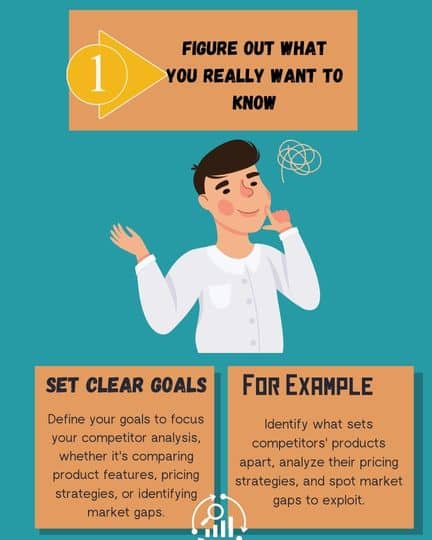
Step 1: Figure Out What You Really Want to Know

Competitive Analysis with ChatGPT
Click on the image to see a full infographic (opens in new tab)

Before you dive into analyzing your competition, it’s super important to know what you’re looking for. If you don’t have a clear focus, you’ll end up with a ton of information that’s not very helpful. To make the most of your time and effort, you need to set some goals before you start.

Set Clear Goals

Start by pinpointing what you want to learn about your competitors. Do you want to understand what makes their products tick? Are you curious about how they price things? Or maybe you’re trying to find gaps in the market where your own product or service can shine. Knowing your goals ahead of time will help you get the right information.

For example, if you want to compare product features, you’ll need to ask detailed questions about what makes your competitor’s product special. If you’re interested in pricing strategies, you’ll need to focus on how your competitors price their products and if those prices make sense in the current market.

Example Goals

  • Understanding what makes your competitors’ products stand out.
  • Analyzing how competitors price their products.
  • Finding gaps in the market that you can fill.

Example Questions to Ask

  • “What are the best features of [Competitor A]’s product in the software industry?”
  • “What are the main differences between [Competitor B] and [Competitor C]’s latest products?”

By setting clear goals, you can ask ChatGPT the right questions and get specific, useful insights. This will help you come up with winning strategies for your own business.

Competitive Analysis with ChatGPT

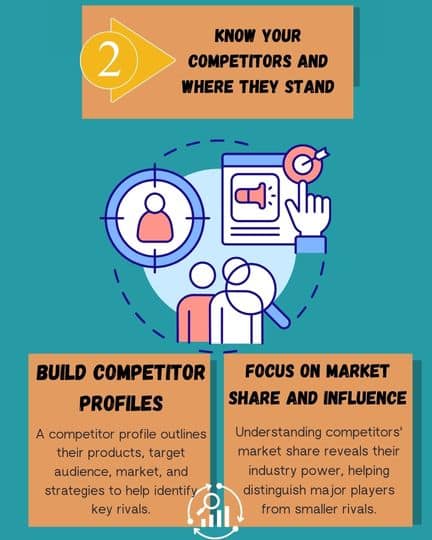
Step 2: Get to Know Your Competitors and Where They Stand

Competitive Analysis with ChatGPT
Click on the image to see a full infographic (opens in new tab)

Once you know what you want to find out, it’s time to take a closer look at your competitors. This means not just knowing their names, but really understanding their place in the market, the products they offer, and what they’re focusing on strategically. ChatGPT can help you create a detailed profile for each competitor, highlighting their strengths, weaknesses, and how much they influence the market.

Build Competitor Profiles

Think of a competitor profile as a report card for each rival. It should include important information like the products they sell, who they’re trying to sell to, the main markets they operate in, and how much of the market they control. This information helps you figure out which companies are your biggest rivals and how they’re trying to attract customers. For example, some companies might focus on high prices and fancy features, while others might offer simpler products at lower prices. Understanding these differences is key to positioning your own business effectively.

Focus on Market Share and Influence

Knowing how much of the market each competitor controls is important for understanding how much power they have in your industry. This helps you tell the difference between the major players, the up-and-comers, and the smaller competitors. With the right data, you can track which companies are growing and which ones are struggling.

Example Questions to Ask

  • “Give me an overview of [Competitor A]’s position in the US skincare market.”
  • “Who are the top three competitors in the online dermatology field, and what makes them different?”

By using ChatGPT to create these detailed competitor profiles, you’ll get a clearer picture of the competitive landscape. This will help you make smarter decisions about where your business fits in and how to make it stand out.

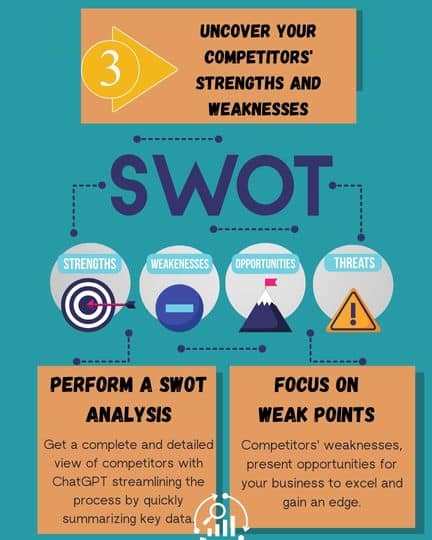
Step 3: Uncover Your Competitors’ Strengths and Weaknesses

Competitive Analysis with ChatGPT
Click on the image to see a full infographic (opens in new tab)

One of the best ways to size up your competition is to do a SWOT analysis. SWOT stands for Strengths, Weaknesses, Opportunities, and Threats. This analysis helps you see where your competitors are doing well and where they’re falling short. By identifying both their strengths and weaknesses, you can take advantage of opportunities they might be missing and avoid threats they might not be handling well.

Perform a SWOT Analysis

You can use a SWOT analysis to get a complete picture of each of your main competitors. Understanding their strengths helps you figure out what makes them successful, and knowing their weaknesses shows you where you might have an edge. Opportunities and threats usually depend on what’s happening in the industry and can come from things like new regulations or technology. ChatGPT can help you create a structured SWOT analysis by summarizing a lot of information quickly.

Focus on Weak Points

Your competitors’ weaknesses are where you can find the best chances to make your business stand out. Whether it’s problems with customer service, outdated technology, or not reaching enough customers, these are areas where you can step in and gain an advantage. For example, if a competitor has bad customer service, you can make yours amazing and attract more customers.

Example Questions to Ask

  • “What are [Competitor B]’s biggest weaknesses when it comes to customer service?”
  • “Do a SWOT analysis for [Competitor C] in the AI healthcare market.”

A good SWOT analysis not only gives you a snapshot of your competitors but also gives you practical insights that can help you plan your business strategy.

 Competitive Analysis with ChatGPT

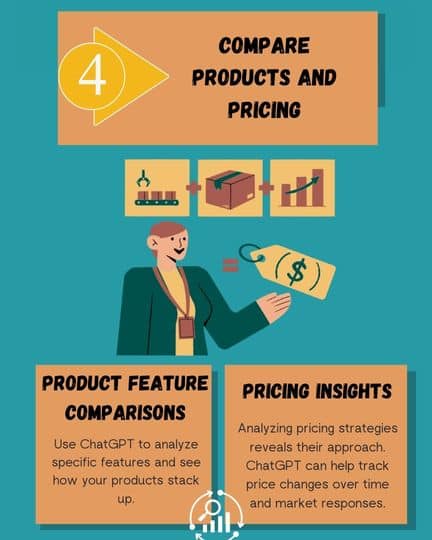
Step 4: Compare Products and Pricing

Competitive Analysis with ChatGPT
Click on the image to see a full infographic (opens in new tab)

One of the most useful things you can learn from analyzing your competition is how their products and prices stack up against yours. This step is really important for making smart decisions about your own products and pricing.

Product Feature Comparisons

Knowing how your competitors’ products compare to yours in terms of features, what they do, and the benefits they offer can help you see where your product might need improvement or where it’s already better. Are they offering more features for a similar price? Are their products easier to use or more flexible? Asking ChatGPT to compare specific product features can help you get a clear picture of how your products measure up.  

Pricing Insights

Pricing is one of the most obvious parts of your competitors’ strategies. By looking at how they price their products, you can see if they’re going for high prices, offering discounts, or using different price levels. ChatGPT can also help you track how prices change over time, showing you how competitors react to market trends or what customers are doing.  

Example Questions to Ask

  • “How does [Competitor A]’s latest product compare to [Competitor B]’s in terms of features?”
  • “What pricing strategies are the top competitors in the US dermatology market using?”

By understanding both product features and pricing strategies, you can make changes to your own products to make sure they’re competitive and find opportunities to be innovative.

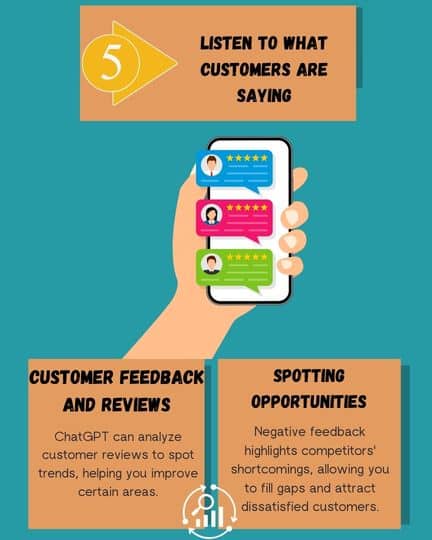
Step 5: Listen to What Customers Are Saying

Competitive Analysis with ChatGPT
Click on the image to see a full infographic (opens in new tab)

What customers think about your competitors can really affect how those competitors are seen in the market. By looking at reviews, feedback, and complaints, you can get a better idea of what customers love (and hate) about your competitors’ products. This gives you a chance to learn from their mistakes and copy their successes.

Customer Feedback and Reviews

ChatGPT can help you sift through customer reviews and feedback to find common themes. For example, if customers keep complaining about a competitor’s bad customer support, you can focus on making your own customer support amazing. On the other hand, if customers are praising certain features, you might want to add similar features to your own products.

Spotting Opportunities

Negative feedback often shows you where competitors are falling short with their products or services. This gives you a chance to fill those gaps. For example, if people often complain that a competitor’s product is hard to use, you could create a product that’s much easier to use and attract those frustrated customers.

Example Questions to Ask

  • “Summarize the main complaints from customer reviews of [Competitor A]’s latest product.”
  • “What are customers praising about [Competitor B] that we could learn from?”

By regularly checking on customer sentiment, you can make smart decisions that meet the needs and address the concerns of your target audience better than your competitors.

Competitive Analysis with ChatGPT
Click on the image to see a full infographic (opens in new tab)

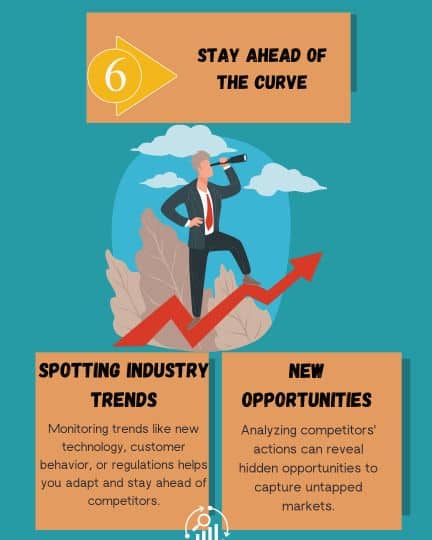
The last step in analyzing your competition is to stay on top of the latest trends in the market and find new opportunities before your competitors do. ChatGPT can help you spot these emerging trends and figure out how they might affect your industry.

Spotting Industry Trends

Trends can shape the future of your industry, so keeping an eye on them can help you adapt and come up with new ideas. Whether it’s a new technology, a change in how customers behave, or new regulations, being aware of trends will give you an advantage over your competitors.

New Opportunities

By analyzing what your competitors are doing – or not doing – you can find opportunities that might not be obvious at first. For example, if your competitors are ignoring a certain group of customers, you can focus your efforts there and win over that untapped market.

Example Questions to Ask

  • “What are the biggest trends emerging in the US dermatology market?”
  • “What opportunities are competitors in the online dermatology field missing?”

By constantly monitoring trends and looking for new opportunities, you can stay ahead of the game and take advantage of changes in the market before your competitors do.

 Competitive Analysis with ChatGPT

Final Verdict

Think of competitive analysis as a puzzle. Each piece – your competitors’ strengths and weaknesses, their products, their prices, what customers are saying, their online strategies, and the latest market trends – contributes to the bigger picture. ChatGPT acts like your puzzle-solving partner, helping you gather and understand these pieces more efficiently.

By asking the right questions and following the steps we’ve outlined, you can use ChatGPT to uncover hidden opportunities, like gaps in the market or unmet customer needs, and discover areas where you can outshine your rivals. 

You can also use it to make data-driven decisions, basing your strategies on solid information instead of guesswork. ChatGPT helps you understand what works for your competitors and what doesn’t. Finally, it allows you to stay ahead of the curve by keeping your finger on the pulse of the market. Anticipate changes, adapt quickly, and seize new opportunities before your competitors even notice them. 

But competitive analysis isn’t a “set it and forget it” task. The business world is dynamic, with trends and competitors constantly evolving. Make it a habit to regularly check in with ChatGPT, analyze your competitive landscape, and refine your strategies. This way, you can ensure you’re always one step ahead, making informed decisions that lead to lasting success.

Test your wits! See how well you score on this quiz.

0

Competitive Analysis with ChatGPT

Test if you know how to use chatGPT for CompetiCompetitive Analysis with ChatGPT
tive analysis.

1 / 10

How can ChatGPT help with spotting industry trends?

2 / 10

What is a benefit of analyzing customer feedback on competitors?


3 / 10

How can ChatGPT help you analyze customer reviews of competitors?

4 / 10

What is a competitor profile?

5 / 10

What can you discover by comparing your competitors' pricing strategies?

6 / 10

What should you focus on when analyzing your competitors' market share?

7 / 10

How can ChatGPT assist in building a competitor profile?

8 / 10

What does SWOT stand for?

9 / 10

What kind of goals should you set for a competitive analysis?

10 / 10

What should be your first step before starting a competitive analysis?

Your score is

The average score is 0%

0%

Simplify Market Research with ChatGPT for Mind Blowing Insights

As an executive, you’re no stranger to the complex world of market research. Market research can be an overwhelming task for any business, especially when you’re juggling data from various sources and struggling to extract valuable insights. The time, effort, and expertise required can quickly turn market research into a daunting project.

But what if you could streamline the entire process, effortlessly turning complex data into actionable strategies?

ChatGPT is revolutionizing the way businesses conduct market research. This powerful AI tool can sift through mountains of data. It uncovers game-changing trends and insights that can help you stay ahead of the curve. No more endless hours of analysis or missed opportunities – ChatGPT can transform your research. It empowers you to make data-driven decisions with confidence.

In this article, we’ll explore how ChatGPT is making market research simpler and more accessible for businesses of all sizes. Get ready to discover a smarter, faster way to gain valuable insights and propel your business to new heights. 

Why does Market Research Matter?

Market research is like a compass for businesses, guiding them towards success. It’s about understanding what’s happening in the market, what customers want, and what competitors are doing. In today’s fast-paced world, relying on gut feelings isn’t enough. Businesses need real-time information to stay ahead.

Market Research with ChatGPT

How does Market Research Help?

Market Research with ChatGPT
Click on the image to see a full infographic (opens in new tab)
  • Smart Decisions: Market research gives you the facts you need to make informed choices. It’s like having a map when you’re planning a road trip. You can set the right prices, launch the right products, and choose the best marketing strategies.
  • Spotting Trends: Trends are like waves – they’re constantly changing. Market research helps you see these waves coming, giving you a chance to ride them or get out of the way.
  • Knowing Your Customers: The heart of any business is its customers. Market research is about getting to know them – their likes, dislikes, and what makes them tick. This helps you create products and services they’ll love.

How to Simplify Market Research with ChatGPT?

Time is money, and ChatGPT understands that. It’s a powerful tool that helps you get fast, reliable insights, even when you’re short on time or resources. By bringing AI into market research, ChatGPT makes complex tasks simpler, letting you focus on what truly matters.

Making Sense of the Data

One of the biggest headaches in market research is dealing with massive amounts of data. ChatGPT acts like your personal organizer, tidying up the information and highlighting the key takeaways. No more wading through endless reports. ChatGPT cuts through the noise and gives you the bottom line.

  • For Example: Let’s say you have piles of customer surveys, focus group results, and market studies. ChatGPT can sift through all of this and identify common themes, like what customers love or where your product could improve. This lets you make smart decisions quickly, without getting lost in the details.
Market Research with ChatGPT
Click on the image to see a full infographic (opens in new tab)

Fresh Ideas and New Angles

ChatGPT doesn’t just organize data, it can also spark new ideas and perspectives. By feeding it market information, ChatGPT can help you brainstorm new strategies or spot hidden opportunities.

  • For Example: Imagine launching a new product. You could ask ChatGPT for marketing ideas based on customer data. It might suggest partnering with influencers, highlighting eco-friendliness, or using social media trends. These are insights that could normally take days or weeks to uncover.

Research at Warp Speed

In today’s fast-paced business world, speed is everything. ChatGPT analyzes data and generates reports in a fraction of the time it would take a traditional research team. This means you can react faster to market changes, customer demands, or competitor moves.

  • For Example: If you’re checking out the competition, ChatGPT can quickly summarize their strengths and weaknesses, giving you a complete picture without spending days gathering information.

By simplifying data analysis, sparking fresh ideas, and speeding up research, ChatGPT helps you make smarter decisions faster. It’s like having a super-powered research team at your fingertips, keeping your business ahead of the curve.

How to Use ChatGPT for Market Research?

Think of ChatGPT as your market research sidekick. It’s a powerful tool, but to get the most out of it, you need a game plan. Here’s a step-by-step guide to using ChatGPT effectively for your research needs.

Step 1: Set a Clear Goal

Before you start, know exactly what you’re looking for. It’s like planning a treasure hunt – you need to know what the treasure is before you start digging. Are you interested in customer behavior, competitor activity, or maybe market entry strategies? The clearer your objective, the more helpful ChatGPT’s insights will be.

  • Example Prompt: “What are the top trends in the fitness tech industry for the next two years?”

Step 2: Give ChatGPT the Background

The more context you provide, the better ChatGPT’s answers will be. Think of it like briefing a detective – the more details you give, the better they can crack the case. Share your industry, target audience, and any challenges you’re facing.

  • Example Prompt: If you’re a tech company wanting to expand into Europe, you might say: “We’re a software company looking to grow in Europe. Our target audience is mid-sized businesses. What are the current market trends and potential challenges?”

Step 3: Ask About Trends and Competitors

ChatGPT is great at spotting trends and analyzing competitors. Ask it to summarize key industry developments or compare your competitors.

  • Example Prompt: “What are the emerging trends in AI-driven healthcare, and how are the major players positioning themselves?”

Step 4: Turn Insights into Action

Once ChatGPT gives you the data, it’s time to turn it into a plan. Ask ChatGPT to help you narrow down your options or evaluate which strategies are most likely to succeed.

  • Example Prompt: “Based on the AI healthcare trends, what are the three best strategies for a mid-sized company entering this market?”
Market Research with ChatGPT
Click on the image to see a full infographic (opens in new tab)

Real-World Examples: Using ChatGPT for Market Research

Now that you know the basics, let’s see how ChatGPT can be your secret weapon in different market research scenarios. These examples will show you how to get actionable insights and stay ahead of the curve.

1. Decoding Customer Preferences

Understanding what your customers want is like having a cheat code for business success. ChatGPT can analyze customer surveys, reviews, and social media chatter to reveal patterns and preferences.

  • Example Prompt: “Analyze these customer reviews for our new product and summarize the most common feedback points.”
  • Result: ChatGPT will pinpoint recurring themes, like price concerns, feature requests, or overall satisfaction. This allows you to fine-tune your product based on real customer insights.

2. Sizing Up the Competition

Keeping tabs on your competitors is essential. ChatGPT can quickly summarize public information about their marketing strategies, products, and customer reviews, giving you a 360-degree view.

  • Example Prompt: “Provide a competitor analysis comparing [Competitor A] and [Competitor B] in the wearable tech industry. Focus on their marketing strategies and customer feedback.”
  • Result: ChatGPT will deliver a concise comparison, highlighting your competitors’ strengths and weaknesses, and revealing potential gaps in the market that you can exploit.

3. Conquering New Markets

Expanding into new territories can be daunting. ChatGPT can generate strategies based on market trends and consumer behavior, helping you navigate unfamiliar terrain.

  • Example Prompt: “What are the key challenges and opportunities for entering the Southeast Asian market as a software company?”
  • Result: ChatGPT will offer insights into regional trends, potential barriers to entry, and strategies for successful market penetration, saving you valuable time and resources on preliminary research.

4. Dreaming Up New Products

Innovation is key to staying ahead. ChatGPT can analyze market trends and customer feedback to help you brainstorm exciting new product ideas.

  • Example Prompt: “Based on current market trends in sustainable fashion, suggest new product features for our eco-friendly clothing line.”
  • Result: ChatGPT might suggest incorporating recycled materials, offering sustainable packaging, or creating a take-back program for old clothing, sparking ideas you might not have considered.

Tips for Getting the Best Results from ChatGPT in Market Research

To get the most out of ChatGPT for your market research, think of it like a skilled assistant – the better your instructions, the better the results. Here are some tips to ensure you’re getting precise, relevant, and actionable insights.

1. Be Specific

Market Research with ChatGPT
Click on the image to see a full infographic (opens in new tab)

The quality of ChatGPT’s responses depends heavily on how you phrase your questions. Clear, focused prompts lead to focused, helpful answers. Vague questions lead to vague answers. So, be as detailed as possible.

  • Instead of: “What are the trends in the tech industry?”
  • Try: “What are the key trends in AI-driven technologies within the healthcare sector for 2024?”

2. Look at Things from Different Angles

Market Research with ChatGPT
Click on the image to see a full infographic (opens in new tab)

Market research often involves seeing things from different perspectives, like customers, competitors, or future trends. ChatGPT can help you explore these various angles, giving you a well-rounded understanding.

  • Example Prompt: “Provide insights into the challenges facing the renewable energy market from both a consumer and regulatory perspective.”

3. Focus on What Matters

Market Research with ChatGPT
Click on the image to see a full infographic (opens in new tab)

Once ChatGPT provides insights, refine them to focus on what you can actually use. ChatGPT can also help you sift through the results and pinpoint the most important strategies or trends.

  • Example Prompt: “From the 10 trends you’ve listed, which three would have the most immediate impact on a mid-sized retail business?”
Market Research with ChatGPT

4. Keep Experimenting

Market Research with ChatGPT
Click on the image to see a full infographic (opens in new tab)

Market research is an ongoing process, and ChatGPT is a tool that can evolve with your needs. Try different prompts and see what kind of responses you get. Refine them as you go.

  • Example: If your initial question didn’t give you everything you need, try asking for more details or focusing on a specific part of the market.

Final Thoughts

ChatGPT is a game-changer for businesses looking to up their market research game. It’s like having a 24/7 research team that can analyze data, spot trends, and generate fresh ideas. With ChatGPT, you can stay ahead of the curve, make informed decisions, and react quickly to changes in the market.

Whether you’re tracking industry trends, sizing up competitors, or getting to know your customers better, ChatGPT is a versatile tool that keeps you in the know. Embrace this new era of market research and watch your business flourish.

Ready to see what you’ve learned? Take this quiz to find out!

0

Market Research with ChatGPT

Test if you know how ChatGPT helps in market research.

1 / 10

What is one of the key benefits of market research?

2 / 10

How does ChatGPT simplify market research?

3 / 10

Which of these is a major focus of market research?

4 / 10

What can ChatGPT help you uncover in market research?

5 / 10

How can ChatGPT help with competitor analysis?

6 / 10

What should you do before starting your research with ChatGPT?

7 / 10

Which prompt would help ChatGPT identify industry trends?

8 / 10

How can ChatGPT help you brainstorm new product ideas?

9 / 10

What type of information does ChatGPT need to give better insights?

10 / 10

Which task can ChatGPT handle in market research?

Your score is

The average score is 0%

0%

Unlock Stunning and Unique Ideas through Brainstorming with ChatGPT

As a busy executive, you’re always expected to come up with new and creative ideas. But let’s be honest, brainstorming isn’t always easy. You have deadlines and distractions, and sometimes your creative energy just isn’t there. It can feel really tough to come up with amazing ideas that stand out and make a difference.

That’s where you can get help for brainstorming with ChatGPT. This AI tool can change the way you brainstorm. Imagine having a virtual partner who helps you overcome creative blocks, offers different perspectives, and generates lots of ideas – all in minutes. No more staring at a blank page or struggling to find inspiration. ChatGPT makes the process easier, faster, and even fun.

In this article, we’ll explore how brainstorming with ChatGPT can help you unlock a treasure trove of unique and impactful ideas. You’ll save time and boost your creativity in ways you never thought possible.

The Power of Brainstorming with ChatGPT

brainstorming with chatgpt
Click on the image to see a full infographic opens in new tab

In today’s fast-moving business world, especially for executives, brainstorming is essential for innovation and problem-solving. Whether you’re launching a new product, crafting marketing strategies, or improving operations, brainstorming helps you gather diverse ideas for better decision-making.

Executives rely on brainstorming to:

  • Discover fresh solutions: In a changing market, creative thinking is crucial for staying ahead.
  • Simplify complex problems: Exploring different angles helps break down big challenges.
  • Boost teamwork: It fosters open discussion, leading to more innovative outcomes.
  • Drive strategic thinking: Brainstorming is often the first step toward making key decisions.

While essential, brainstorming can be tough. Time constraints, creative blocks, and the pressure to generate ideas can hinder progress.

ChatGPT is a powerful AI tool designed to overcome brainstorming challenges by offering fresh perspectives, organizing your thoughts, and generating unique ideas quickly.

Here’s how ChatGPT can elevate your brainstorming sessions:

  • Organizes your thoughts: ChatGPT structures your ideas, providing clarity and direction.
  • Generates out-of-the-box ideas: If you’re stuck, ChatGPT offers new angles to spark creativity.
  • Expands perspectives: ChatGPT simulates diverse viewpoints, opening doors to innovative solutions.
  • Saves time: ChatGPT accelerates the brainstorming process, providing multiple ideas rapidly.

Integrating ChatGPT into your brainstorming sessions can transform your approach to challenges, unlocking creative and actionable ideas.

Brainstorming with ChatGPT

How to Unlock Stunning and Unique Ideas through Brainstorming with ChatGPT?

Expand Your Ideas

brainstorming with chatgpt
Click on the image to see a full infographic opens in new tab

ChatGPT is a brainstorming powerhouse that takes your basic concepts and transforms them into refined, innovative ideas. It helps you explore all the possibilities of an idea, leading to more detailed and creative strategies.

For example, if you’re planning a marketing campaign for a new product aimed at young professionals, you could simply tell ChatGPT: “I want to create a marketing campaign to promote a new product targeting young professionals.”

ChatGPT might suggest:

  • Various channels like social media, email marketing, or influencer partnerships.
  • Different tones, such as professional, humorous, or inspirational.
  • Innovative strategies like interactive content, webinars, or gamification.

By expanding your initial idea, ChatGPT helps you think outside the box and discover creative approaches you might not have considered on your own.

Generate Ideas from Scratch

brainstorming with chatgpt
Click on the image to see a full infographic opens in new tab

Even when you’re starting with a blank canvas, ChatGPT can help you generate new ideas. Whether you’re facing a business challenge or need a creative spark, ChatGPT can offer fresh, original ideas based on your input.

For example, if you ask ChatGPT: “I need fresh business ideas for expanding into new markets,”

it could suggest options such as:

  • Entering niche segments within existing markets.
  • Introducing a subscription-based model to target long-term customers.
  • Collaborating with local influencers to build regional brand loyalty.

This ability to create entirely new ideas makes ChatGPT invaluable when you’re feeling stuck or need to explore new directions quickly.

Overcome Creative Blocks

brainstorming with chatgpt
Click on the image to see a full infographic opens in new tab

Everyone experiences creative blocks, but ChatGPT excels at helping you overcome them. It offers fresh perspectives and suggestions that can reignite your creativity.

For instance, if you’re struggling to develop content ideas for a company blog targeting technology professionals, you could ask ChatGPT: “I’m stuck on blog post ideas for my business blog, which targets technology professionals.”

ChatGPT could respond with a variety of potential topics, such as:

  • “The Future of AI in Business Operations”
  • “How Tech Leaders Can Prepare for Digital Transformation”
  • “The Role of Cybersecurity in Scaling Enterprises”

These new perspectives can help you push past the creative roadblock and inspire you to take the next step.

brainstorming with chatgpt

A Step-by-Step Guide for Brainstorming with ChatGPT

Brainstorming with ChatGPT can be highly productive when approached strategically. These key steps ensure your ideas are relevant, actionable, and aligned with your objectives.

Step 1: Define the Problem or Goal Clearly

brainstorming with chatgpt
Click on the image to see a full infographic opens in new tab

Clarity is key. Whether you’re seeking innovative marketing strategies or new product features, clearly define your problem or goal. This helps ChatGPT provide focused and useful ideas.

Instead of a broad question like “How can I market my product?”, be specific:

“Generate unique marketing campaign ideas for a new product targeting millennials.”

This gives ChatGPT a clear direction, allowing it to generate tailored ideas.

Step 2: Provide Context or Background

brainstorming with chatgpt
Click on the image to see a full infographic opens in new tab

The more context you provide, the better the results. Include details about your industry, target audience, and objectives.

For instance, if you’re in the technology sector and launching a new product, your prompt could include:

“We are launching a new AI-based software for small businesses in the tech industry. The goal is to attract early adopters interested in improving their operations through automation.”

This guides ChatGPT to provide creative and relevant ideas.

Step 3: Explore Multiple Perspectives

brainstorming with chatgpt
Click on the image to see a full infographic opens in new tab

ChatGPT can approach ideas from various angles. Prompt it to explore different perspectives, such as the customer’s viewpoint, market trends, or unconventional methods.

You could ask:

“What are some unconventional ways to approach product launches in 2024?”

This encourages ChatGPT to think beyond traditional approaches, offering fresh insights.

Step 4: Refine and Narrow Down Ideas

brainstorming with chatgpt
Click on the image to see a full infographic opens in new tab

After generating ideas, focus on the most promising ones. ChatGPT can help you evaluate them based on viability, potential impact, or alignment with your goals.

You might ask:

“Out of these 10 ideas, which ones are the most viable for a mid-sized company?”

This filters out impractical ideas, leaving you with actionable concepts.

Real-World Applications

Let’s explore some practical examples of how ChatGPT can spark innovation in various scenarios:

Scenario 1: Developing New Product Ideas

When launching a new product, ChatGPT can help you generate fresh and innovative features that resonate with your target market.

For instance, if you’re planning a smart home device for eco-conscious consumers, you can ask ChatGPT: “I need innovative feature ideas for a smart home device targeting eco-conscious consumers.”

ChatGPT might suggest ideas such as:

  • Energy Monitoring: Tracks household energy usage and offers tips for improvement.
  • Eco-friendly Modes: A “Green Mode” that reduces power consumption when the device is idle.
  • Sustainable Packaging: Using recyclable or biodegradable materials for packaging.

These ideas can help you develop a product that not only meets customer needs but also stands out in the market.

ideas

Scenario 2: Creative Marketing Campaigns

Marketing campaigns need constant innovation. ChatGPT can assist by generating creative ideas for reaching different demographics.

For example, if you want to create a marketing campaign for a fitness app targeting Gen Z, you can ask: “Generate unique marketing campaign idea to promote a fitness app targeting Gen Z users.”

ChatGPT might suggest:

  • Social Media Challenges: Create a viral fitness challenge on platforms like TikTok and Instagram.
  • Influencer Partnerships: Collaborate with fitness influencers to promote the app’s benefits.
  • Gamification: Introduce in-app competitions with points and badges to make fitness more engaging.

These ideas can drive awareness and engagement in ways that resonate with Gen Z.

Scenario 3: Business Growth Strategies

Business expansion is another area where ChatGPT can help. Whether you’re looking to grow through new revenue streams or market entry strategies, ChatGPT can offer diverse suggestions.

You can ask: “What are some unique growth strategies for a mid-sized e-commerce business looking to expand internationally?”

ChatGPT might offer idea like:

  • Localized Marketing: Develop region-specific campaigns tailored to each target country.
  • Subscription Models: Introduce a subscription-based service for recurring revenue.
  • Strategic Partnerships: Form alliances with local influencers or brands to build trust in new markets.

These strategies can help you identify new opportunities for growth.

Final Thoughts

In today’s rapidly evolving business landscape, the ability to generate innovative ideas and strategies is more crucial than ever. ChatGPT emerges as a powerful ally in this endeavor, revolutionizing the way executives and teams approach brainstorming. By seamlessly blending human creativity with AI capabilities, ChatGPT empowers us to unlock a wealth of unique and actionable ideas. 

From expanding on initial concepts to generating fresh perspectives and overcoming creative blocks, ChatGPT proves to be an indispensable tool for driving innovation and achieving success in the modern business world. As we embrace the potential of AI-powered brainstorming, we open doors to new possibilities and pave the way for a future where creativity knows no bounds.

Test your wits! See how well you score on this quiz.

0

Brainstorming with ChatGPT

Test if you know the techniques of brainstorming with chatGPT.

1 / 10

How can ChatGPT assist during brainstorming sessions?

2 / 10

What should you provide to ChatGPT for better brainstorming results?

3 / 10

Which of these is a benefit of brainstorming with ChatGPT?

4 / 10

How can ChatGPT help when you're stuck on an idea?

5 / 10

What is a key feature of ChatGPT during brainstorming?

6 / 10


How can you use ChatGPT to generate ideas from scratch?

7 / 10

What can ChatGPT NOT do in brainstorming sessions?

8 / 10

What is an effective way to use ChatGPT for marketing ideas?

9 / 10

How does ChatGPT help in overcoming creative blocks?

10 / 10

What should you do after ChatGPT generates several ideas?

Your score is

The average score is 0%

0%

ChatGPT For Internal Memos; Real-Time Examples to Boost Business Efficiency

Good internal communication is one of the most important keys to running a business successfully. It’s not just about sharing information, but also about making sure the right people get the right message at the right time. As an executive, you know how important it is to keep your team informed and working together. However, creating personalized and timely memos for different departments and situations can be tough.

And we already know there is a way to make this process easier and more efficient. ChatGPT can help you create personalized memos quickly and effectively as we’ve already discussed in another post. In this guide, we’ll show you practical examples of how ChatGPT can improve your internal communications, making memo writing faster, clearer, and more impactful.

Real-Time Examples

ChatGPT is more than just a tool for creating templates; it offers real-time solutions specifically for your business needs. It can create personalized memos for different teams and turn complex reports into easy-to-understand updates, improving communication throughout your organization. 

ChatGPT For Internal Memos; Real-Time Examples

Here are some examples of how ChatGPT can adapt memos for different situations, ensuring they’re clear, focused, and relevant, no matter the context.

1. Personalizing Memos Based on Audience

ChatGPT For Internal Memos; Real-Time Examples
Click on the image to see a full infographic (opens in new tab)

Use ChatGPT to adjust the tone and structure of memos depending on the department (e.g., formal for finance, casual for marketing).

Prompt for ChatGPT
Write a memo announcing the launch of a new project to both the finance and marketing teams, adjusting the tone for each.

Expected Result

Memo to Finance Team

Subject: Project [Project Name] Launch – Budget Overview and Projections

Dear Finance Team,

We are excited to announce the launch of [Project Name], which is set to begin on [Start Date]. As this project progresses, we will need to ensure strict budget adherence and financial forecasting to meet our goals efficiently.

The initial budget allocation is $[Amount], with projections indicating a potential [X]% return on investment. Your role in closely monitoring expenses and providing accurate projections will be crucial to the project’s success. Detailed financial plans will be shared soon for your review.

Thank you for your continued dedication to maintaining financial accuracy throughout this project.

Best Regards,
[Your Name]
[Your Position]

Memo to Marketing Team

Subject: Creative Strategies for Project [Project Name] Launch

Hey Marketing Team,

I’m thrilled to let you know that we’re kicking off [Project Name] on [Start Date]! Your creative flair will be key to driving this project forward, so let’s start brainstorming fresh strategies that align with our vision.

Our focus will be on creating engaging campaigns and content that resonate with our audience. We’ll need to map out timelines and milestones to ensure everything rolls out smoothly, so expect to hear more about our strategy meeting soon.

Can’t wait to see the amazing ideas you come up with for this exciting new project!

Cheers,
[Your Name]
[Your Position]

2. Drafting Clear and Concise Memos in Minutes

ChatGPT For Internal Memos; Real-Time Examples
Click on the image to see a full infographic (opens in new tab)

ChatGPT can summarize complex business updates or instructions into simple, clear memos that are easy to digest.

Prompt for ChatGPT
Summarize this detailed project report into a memo for the executive team highlighting key metrics and next steps.

Expected Result

Memo for the Executive Team

Subject: Project [Project Name] Update and Next Steps

Dear Executive Team,

I wanted to provide a brief update on the progress of [Project Name]. Here are the key highlights:

  • Budget Utilization: 85% of the allocated budget has been utilized so far, with an expected surplus of 5% upon project completion.
  • Timeline: The project is 70% complete, and on track to meet the deadline of [End Date].
  • Key Metrics:
    • Increased efficiency by 25%.
    • Cost reduction of 15% compared to initial estimates.
  • Next Steps: We are entering the final phase, focusing on testing and integration. The upcoming tasks include final testing, stakeholder sign-offs, and internal training.

We’ll keep you updated as the project progresses. Please let me know if further details are required.

Best Regards,
[Your Name]
[Your Position]

3. Personalized Memos for Different Teams

ChatGPT For Internal Memos; Real-Time Examples
Click on the image to see a full infographic (opens in new tab)

Executives often need to communicate the same message to different teams but in varying tones or with different focus points. For example, a CEO may want to announce a new company-wide policy to both the finance and marketing departments.

Prompt for ChatGPT
Write a memo announcing the implementation of a new software system to the finance team, focusing on budget savings, and to the marketing team, focusing on creative efficiency.

Expected Result

Memo to Finance Team

Subject: New Software System Implementation and Budget Savings

Dear Finance Team,

I’m excited to announce the implementation of our new software system, [Software Name], which is projected to save us up to 20% in operational costs over the next fiscal year. The system automates several financial processes, reducing manual work and minimizing errors. These efficiencies will result in significant budget savings and improved accuracy.

We’ll be rolling out training sessions next week. Your feedback will be crucial as we track the financial impact of this upgrade.

Best Regards,
[Your Name]
[Your Position]

Memo to Marketing Team

Subject: New Software System Implementation to Boost Creative Efficiency

Hey Marketing Team,

We’re implementing a new software system, [Software Name], designed to improve collaboration and streamline the creative workflow. This system will allow us to manage projects more efficiently, giving you more time to focus on content creation and campaign execution.

The integration will start next week, and we’ll have training sessions to ensure you’re all set. I’m looking forward to seeing how this new system helps unleash your creativity!

Cheers,
[Your Name]
[Your Position]

ChatGPT For Internal Memos; Real-Time Examples to Boost Busin

4. Summarizing Complex Reports for Quick Updates

ChatGPT For Internal Memos; Real-Time Examples
Click on the image to see a full infographic (opens in new tab)

Executives often receive detailed reports that are too lengthy for most team members to digest quickly. ChatGPT can create summarized memos that capture the essence of these reports, allowing for fast decision-making.

Prompt for ChatGPT
Summarize this 20-page financial report into a concise memo with key highlights and action steps for the senior management team.

Expected Result

Memo for Senior Management Team

Subject: Summary of Financial Report Q3

Dear Senior Management,

Here is a summary of the key highlights from the Q3 financial report:

  • Revenue Growth: 12% growth in revenue compared to Q2, driven by increased customer acquisition.
  • Operational Costs: A slight increase in operational costs by 3%, primarily due to expanded workforce and supply chain fluctuations.
  • Profit Margin: Profit margins have remained steady at 18%, despite increased costs.
  • Risks: Potential risks include market volatility and supply chain disruptions.

Action Steps:

  1. Reassess supply chain partnerships to mitigate cost fluctuations.
  2. Focus on cost control initiatives in Q4.
  3. Review workforce allocation to ensure optimal efficiency.

Please review and let me know if additional actions are needed.

Best Regards,
[Your Name]
[Your Position]

5. Crafting Memos for Crisis Management

ChatGPT For Internal Memos; Real-Time Examples
Click on the image to see a full infographic (opens in new tab)

In the event of a crisis (e.g., a sudden PR issue, a supply chain disruption), executives need to respond quickly and coherently. ChatGPT can generate memos that communicate action plans and key messages to different departments, ensuring alignment during a high-stress period.

Prompt for ChatGPT
Draft a memo for all department heads addressing the recent supply chain disruption and outlining the immediate steps we’re taking to resolve it.

Expected Result

Memo to All Department Heads

Subject: Addressing the Recent Supply Chain Disruption

Dear Department Heads,

As you may be aware, we are currently facing a disruption in our supply chain, which has affected several ongoing projects. We are actively working with our suppliers to resolve the issue as quickly as possible.

Immediate Steps:

  1. Alternative Suppliers: We are negotiating with alternative suppliers to fill the gaps.
  2. Inventory Management: All departments should prioritize critical resources and limit non-essential orders until further notice.
  3. Project Timelines: Please communicate with your teams to adjust timelines where necessary.

Thank you for your cooperation and understanding during this challenging time. I will keep you updated as we make progress.

Best Regards,
[Your Name]
[Your Position]

6. Gathering Feedback and Summarizing Employee Surveys

ChatGPT For Internal Memos; Real-Time Examples
Click on the image to see a full infographic (opens in new tab)

After launching a new company initiative or policy, executives may want to gather feedback from employees. ChatGPT can help by analyzing survey responses and summarizing the findings in an actionable memo.

Prompt for ChatGPT
Summarize the key findings from the employee satisfaction survey and suggest three action points for improving team morale.

Expected Result

Memo for Leadership Team

Subject: Employee Satisfaction Survey Results and Action Points

Dear Leadership Team,

Here is a summary of the key findings from the recent employee satisfaction survey:

  • Overall Satisfaction: 78% of employees report being satisfied with their work environment.
  • Areas of Concern: Common concerns include limited communication between departments (45%) and a lack of opportunities for professional growth (35%).
  • Positive Feedback: Employees appreciate the company’s flexibility with remote work (85%).

Suggested Action Points:

  1. Improve Cross-Department Communication: Implement regular inter-departmental meetings to improve collaboration.
  2. Professional Development: Offer more training and growth opportunities, focusing on career development.
  3. Enhance Remote Work Support: Continue refining remote work policies to maintain satisfaction levels.

Please feel free to provide feedback or further suggestions.

Best Regards,
[Your Name]
[Your Position]

7. Addressing Sensitive Information with Discretion

ChatGPT For Internal Memos; Real-Time Examples
Click on the image to see a full infographic (opens in new tab)

Sometimes, executives need to communicate sensitive information, such as layoffs or policy changes, without causing unnecessary alarm. ChatGPT can help craft these delicate memos with the right tone and level of detail.

Prompt for ChatGPT
Write a memo to the HR team about upcoming restructuring plans, ensuring a professional yet sensitive tone.

Expected Result

Memo to HR Team

Subject: Upcoming Restructuring Plans

Dear HR Team,

I wanted to inform you about our upcoming restructuring efforts, which are necessary to align our resources with the company’s long-term goals. This process will impact several departments, and we are committed to handling it with the utmost care and professionalism.

As we move forward, our priority is to support affected employees by offering transition assistance, including outplacement services and counseling. We will be working closely with you to ensure a smooth and transparent process.

Please prepare to assist in these efforts, and let me know if you need any additional resources or information.

Best Regards,
[Your Name]
[Your Position]

ChatGPT For Internal Memos; Real-Time Examples

Final Thoughts

ChatGPT doesn’t just save time—it revolutionizes the way you communicate within your company. By using this tool,  executives can make sure their messages are not only delivered quickly but also tailored to the specific needs of each department. Whether it’s summarizing complex reports or handling sensitive issues, ChatGPT provides the flexibility and accuracy you need for effective communication.

Remember, while ChatGPT is a powerful tool, it’s important to review and personalize its output. This guarantees that every memo aligns with your company’s voice, values, and communication goals. By striking this balance, ChatGPT becomes a vital tool in maintaining clear, consistent, and efficient internal communication at all levels of your business.

Ready to see what you’ve learned? Take this quiz to find out!

0

ChatGPT For Internal Memos; Real-Time Examples

Find out How well you understand the above examples.

1 / 10

Which memo is ideal for announcing an upcoming meeting?

2 / 10

When summarizing a financial report, what should ChatGPT focus on?

3 / 10

How can ChatGPT assist during a crisis, such as a supply chain disruption?

4 / 10

What is an important feature of a project status memo generated by ChatGPT?

5 / 10

How should ChatGPT adjust a memo for the marketing team?

6 / 10

What kind of memos can ChatGPT summarize quickly?

7 / 10

When writing a memo for the finance team, what should the focus be?

8 / 10

Which aspect of memo writing can ChatGPT not handle?

9 / 10

How can ChatGPT help with personalizing memos?

10 / 10

What is a key benefit of using ChatGPT for internal memos?

Your score is

The average score is 0%

0%

ChatGPT For Internal Memos; A Powerful Tool For Business Success

Imagine internal memos as a bustling marketplace—it’s noisy, crowded, and easy for your message to get lost in the shuffle. As a busy executive, you need to cut through the clutter and deliver your message quickly, efficiently, and effectively.
Internal communication often feels like a game of tug-of-war. Memos can be too wordy or too brief, impersonal or overly formal, and always seem to require a delicate balance of clarity and security. This can turn what should be a simple task into a time-consuming ordeal.

What if there was a tool that could help you cut through the clutter and deliver clear, concise, and impactful memos with ease? ChatGPT is more than just a writing assistant—it’s your go-to tool for crafting powerful internal communications that drive business success. Let’s explore this in detail.

Common Templates With ChatGPT for Internal Memos

ChatGPT can create many different kinds of internal memos, not just the examples shown here. It can be adapted to fit your exact needs and how you want to communicate within your company. Here are some of the common templates for internal memos that ChatGPT can help generate. Each template is structured to serve a specific business purpose, from meetings to project updates.

ChatGPT For Internal Memos

1. General Internal Memo Template

This is a flexible template used for general communication within the organization. It is versatile enough to be adapted for a variety of purposes, including updates, announcements, or general information sharing.

  • Subject: [Memo Subject]
  • Date: [Date]
  • To: [Recipients]
  • From: [Sender]

Message:
[Introductory sentence with purpose]
[Details of the topic]
[Action items, if any]
[Conclusion or follow-up instructions]

Purpose: General communication across departments or teams for non-specific updates.

2. Meeting Announcement Memo

This memo ensures that everyone is aware of an upcoming meeting. It provides essential details such as the meeting’s topic, time, date, location, and agenda to ensure recipients are well-prepared.

  • Subject: Meeting Announcement – [Meeting Topic]
  • Date: [Date]
  • To: [All Staff / Specific Department]
  • From: [Sender]

Message:
We will be holding a meeting on [Meeting Date] at [Time] in [Location].
Agenda:
– [Agenda Item 1]
– [Agenda Item 2]
– [Agenda Item 3]
Please make sure to be prepared and bring any relevant materials.

Purpose: Scheduling regular or special meetings, such as departmental or all-hands meetings.

3. Policy Update Memo

This memo is essential when company policies are updated. It ensures that employees are aware of the changes, why they were made, and when they will take effect. It often includes details on how employees should respond or adhere to the new policy.

  • Subject: [Policy Name] Update
  • Date: [Date]
  • To: [All Staff / Relevant Departments]
  • From: [Sender]

Message:
This memo serves to inform you of an update to the [Policy Name], effective [Effective Date].
Key Changes:
– [Change 1]
– [Change 2]
– [Change 3]
Please review the updated policy document attached and direct any questions to [Contact Person/Department].

Purpose: Communicating updates to company policies, such as HR guidelines or operational changes.

ChatGPT For Internal Memos

4. Project Status Memo

This memo is useful for keeping project stakeholders updated on the current status of a project. It typically outlines completed milestones, ongoing tasks, and any challenges that need addressing. It helps ensure that everyone is aligned on progress and next steps.

  • Subject: Project Status Update – [Project Name]
  • Date: [Date]
  • To: [Project Team / Stakeholders]
  • From: [Project Manager]

Message:
The current status of [Project Name] is as follows:
Completed Milestones:
– [Milestone 1]
– [Milestone 2]
Upcoming Tasks:
– [Task 1]
– [Task 2]
We are on track to meet the [Deadline/Next Milestone] on [Date]. Any issues or delays should be reported immediately.

Purpose: Providing regular project updates to internal teams, management, or clients.

5. Announcement Memo

An announcement memo is used to share important news or updates with staff. This could include anything from organizational changes to awards and new initiatives. It ensures that important developments are communicated effectively across the company.

  • Subject: [Announcement Title]
  • Date: [Date]
  • To: [All Staff / Specific Team]
  • From: [Sender]

Message:
We are pleased to announce [Event/Change/Update].
[Details of the announcement]
[Impact on the organization, if any]
For any further information, please contact [Relevant Contact].

Purpose: Announcing key changes, events, or achievements in the organization.

6. Employee Recognition Memo

This memo is designed to recognize an employee or team for their outstanding contributions or achievements. It’s a great way to boost morale and show appreciation for hard work.

7. Incident Report Memo

  • Subject: Recognition for [Employee Name] – [Achievement]
  • Date: [Date]
  • To: [All Staff]
  • From: [Manager / HR]

Message:
I am pleased to recognize [Employee Name] for their outstanding achievement in [Describe Achievement].
[Specific details of their contribution]
Please join me in congratulating [Employee Name] for their dedication and hard work.

Purpose: Recognizing employee achievements to boost morale and highlight individual or team contributions.

This memo is used to report incidents that have occurred in the workplace. It provides a factual description of the incident, actions taken, and steps to prevent future occurrences. It is critical to keep management informed about operational or safety concerns.

  • Subject: Incident Report – [Incident Description]
  • Date: [Date]
  • To: [All Staff / Management]
  • From: [Sender]

Message:
This memo is to inform you about an incident that occurred on [Date of Incident].
Incident Details:
– [Description of the incident]
– [Actions taken]
– [Future steps to prevent recurrence]
Please contact [Department/Person] for further information.

Purpose: Reporting accidents, security breaches, or operational incidents for management attention.

8. Request for Action Memo

This memo is used to request specific actions from recipients, such as completing tasks or submitting reports. It typically includes detailed steps for completing the action and a deadline for when the task needs to be done.

  • Subject: Action Required – [Action Title]
  • Date: [Date]
  • To: [Recipients]
  • From: [Sender]

Message:
This is a request for [Describe the requested action].
Deadline: [Date]
Steps to complete:
– [Step 1]
– [Step 2]
Please ensure that this is completed by [Deadline]. Direct any questions to [Contact Person].

Purpose: Requesting specific tasks or actions to be completed by team members.

ChatGPT For Internal Memos

9. Expense Report Memo

This memo is typically sent to the finance department to request reimbursement for expenses incurred during a specific event or project. It provides a breakdown of the expenses with a total amount for processing.

  • Subject: Expense Report for [Event/Project/Period]
  • Date: [Date]
  • To: [Finance Department / Management]
  • From: [Sender]

Message:
Attached is the expense report for [Event/Project/Period] from [Start Date] to [End Date].
Summary of Expenses:
– [Expense 1]
– [Expense 2]
Total: [Total Amount]
Please process this for reimbursement at your earliest convenience.

Purpose: Submitting expenses for reimbursement related to projects, events, or business trips.

10. New Hire Announcement Memo

This memo announces the hiring of a new employee, typically providing a brief introduction, their role, and their background. It helps introduce the new hire to the company and fosters a welcoming environment.

  • Subject: New Hire Announcement – [New Employee’s Name]
  • Date: [Date]
  • To: [All Staff]
  • From: [HR / Manager]

Message:
We are pleased to announce that [New Employee’s Name] has joined [Department Name] as a [Job Title].
[Short bio or background on the new hire]
Please join us in welcoming [Employee’s Name] to the team!

Purpose: Announcing new hires to the organization to facilitate their integration into the team.

Click Here for a quick guide through our Infographic.

Final Thoughts

ChatGPT offers a transformative solution for businesses seeking to enhance their internal communication. By leveraging its capabilities for drafting, editing, and personalizing memos, organizations can streamline their processes, improve clarity, and foster a more engaged workforce. Its ability to quickly generate draft memos, understand context, and tailor messages to specific audiences makes it an invaluable tool for enhancing internal communication. 

While ChatGPT is a powerful asset, it’s essential to use it as a tool rather than a replacement for human judgment. By carefully reviewing and editing the generated content, organizations can ensure that their memos are accurate, engaging, and reflective of their unique brand voice.

Let’s see what you remember! This quiz will put your knowledge to the test.

0

ChatGPT For Internal Memos

Test to Check how well you can use ChatGPT for internal memos.

1 / 10

What should a general internal memo include?

2 / 10

How can ChatGPT help with meeting announcements?

3 / 10

Which is NOT something ChatGPT can do for memo writing?

4 / 10

When using ChatGPT for policy updates, what key detail should be included?

5 / 10

What’s the main benefit of using ChatGPT for project status memos?

6 / 10

How can ChatGPT help in drafting a memo about employee recognition?

7 / 10

What makes ChatGPT valuable for incident report memos?

8 / 10

Which memo type is ideal for requesting specific tasks from team members?

9 / 10

What’s the ideal use for ChatGPT when writing a new hire announcement?

10 / 10

Which part of memo writing does ChatGPT excel at?

Your score is

The average score is 0%

0%

How To Make the Best-In-Class Presentation With ChatGPT

In the world of business, creating presentations can feel like preparing for a high-stakes meeting without the time to actually plan for it. You’ve got all the raw material—data, insights, ideas—but transforming that into a polished, professional presentation? That’s a different story. Being an executive, you don’t have the luxury of sitting down for hours tweaking slides or brainstorming catchy bullet points. Time is of the essence and every minute counts.

Even with advances in presentation tools and technology, the challenges remain. You’re constantly juggling time constraints, the need to capture your audience’s attention, and concerns about data security. Imagine having a powerful tool that could streamline the process, allowing you to create standout presentations without sacrificing your valuable time.

Try ChatGPT, this AI-powered language model can serve as your personal presentation assistant, transforming your raw ideas into structured, compelling slides. Let’s explore how you can harness the power of ChatGPT to create presentations that impress your audience while freeing up your time for more strategic initiatives.

What ChatGPT Can and Cannot Do for Presentations?

What ChatGPT Can Do?

Presentation With Chatgpt
Click on the image to see a full infographic (opens in new tab)
  • Structure the Presentation: ChatGPT can help you outline your entire presentation, determining the flow and organization of key sections and slides.
  • Create Slide Content: It can assist in drafting the content for each slide, from the introduction to key points, making your message clear and impactful.
  • Describe the Slide Layout: ChatGPT can propose how each slide should look, recommending where to place bullet points, charts, and key visuals for clarity.
  • Suggest Transitions: It can help improve the flow of the presentation by suggesting transitions between slides, ensuring a smooth and coherent progression of ideas.
Presentation With Chatgpt

What ChatGPT Cannot Do?

Presentation With Chatgpt
Click on the image to see a full infographic (opens in new tab)
  • Graphic Design: ChatGPT does not have the capability to design the slides or create any visual elements such as graphs, charts, or infographics.
  • Custom Visualizations: While it can suggest how to visualize data, ChatGPT cannot generate custom visual elements or manipulate design tools such as PowerPoint or Canva directly.
  • Design Aesthetic: ChatGPT cannot advise on color schemes, fonts, or other design-specific choices. It focuses on content and structure rather than visual appeal.

While ChatGPT can’t design your slides, it helps you put together the building blocks of a strong presentation, ensuring that your content is clear, compelling, and well-organized. Let’s see some examples.

1. Scenario: Structuring the Presentation

Presentation With Chatgpt
Click on the image to see a full infographic (opens in new tab)

Situation

An executive is tasked with presenting the company’s performance for Q3 to the leadership team. They are unsure how to structure the presentation to make it concise but impactful.

Prompt to ChatGPT
I need to create a presentation for our Q3 performance review. The audience is our leadership team, and I need to highlight key metrics, challenges, and an action plan for the next quarter. Can you help me create an outline for the presentation?

ChatGPT’s Response

  • Slide 1: Introduction
    • Brief overview of Q3 objectives and main achievements.
  • Slide 2: Key Metrics
    • Sales, revenue, and customer acquisition trends.
  • Slide 3: Challenges
    • Specific difficulties encountered during Q3.
  • Slide 4: Opportunities
    • Potential growth areas identified.
  • Slide 5: Action Plan for Q4
    • Strategic initiatives for improving performance in the next quarter.

2. Scenario: Creating Slide Content

Presentation With Chatgpt
Click on the image to see a full infographic (opens in new tab)

Situation

The executive now needs help writing the content for each slide, starting with the introduction.

Prompt to ChatGPT:
For my Q3 review presentation, can you help me write an introduction that highlights our main goals for the quarter and how we performed relative to them?

ChatGPT’s Response

  • Introduction Slide:
    “In Q3, our main objectives were to increase customer acquisition by 20%, expand into new European markets, and improve overall revenue by 15%. I’m pleased to report that while we achieved significant growth in customer acquisition and market expansion, we faced challenges in reaching our revenue targets, which I’ll discuss in more detail in the following slides.”

3. Scenario: Explaining Key Metrics

Presentation With Chatgpt
Click on the image to see a full infographic (opens in new tab)

Situation

The executive has gathered complex sales data but needs help simplifying it for the leadership team.

Prompt to ChatGPT:
I need to explain a chart that shows a 10% sales increase in July but a 5% dip in August. How can I explain this in a clear and concise way?

ChatGPT’s Response

  • Key Metrics Slide:
    “In July, we saw a significant 10% increase in sales, driven by the successful launch of our new product line. However, in August, sales dipped by 5% due to temporary supply chain disruptions. We are working on optimizing our inventory management, which we expect to stabilize our sales in the coming months.”
Presentation With Chatgpt

4. Scenario: Addressing Challenges

Presentation With Chatgpt
Click on the image to see a full infographic (opens in new tab)

Situation

The executive needs to discuss the challenges faced in the quarter, such as supply chain issues, without sounding too negative.

Prompt to ChatGPT:
How can I present our Q3 supply chain challenges in a way that acknowledges the problem but focuses on solutions?

ChatGPT’s Response

  • Challenges Slide:
    “One of the key challenges we faced in Q3 was supply chain disruptions, which impacted our ability to meet product demand in certain regions. To address this, we have already initiated partnerships with new suppliers and implemented better forecasting tools. We expect these measures to improve supply reliability moving forward.”

5. Scenario: Planning the Next Steps

Presentation With Chatgpt
Click on the image to see a full infographic (opens in new tab)

Situation

The executive needs to outline the action plan for Q4, focusing on both challenges and opportunities.

Prompt to ChatGPT:
Can you help me draft an action plan for Q4 that addresses the supply chain issues and highlights opportunities for growth in new markets?

ChatGPT’s Response

  • Action Plan Slide:
    “For Q4, we are focusing on two main areas:
    1. Resolving Supply Chain Issues: We’ve partnered with additional suppliers and are implementing real-time monitoring tools to enhance supply chain resilience.
    2. Expanding into New Markets: Building on the success of our European market entry, we are planning a marketing campaign targeting new regions in Asia, with an expected 15% increase in customer acquisition.”

6. Scenario: Preparing for Q&A

Presentation With Chatgpt
Click on the image to see a full infographic (opens in new tab)

Situation

The executive anticipates a tough question about why the company didn’t meet its revenue target and needs help preparing a response.

Prompt to ChatGPT
How can I respond if I’m asked why we missed our revenue target for Q3?

ChatGPT’s Response

“In response to this question, you could say:
‘While we set ambitious revenue targets for Q3, external factors such as supply chain disruptions impacted our ability to fully capitalize on demand. However, we have already taken steps to resolve these issues and expect a stronger financial performance in Q4 as a result.'”

7. Scenario: Enhancing the Presentation’s Flow

Presentation With Chatgpt

Situation

The executive is unsure about how to transition between the key metrics and challenges smoothly.

Prompt to ChatGPT:
I need help with transitioning between the slide that discusses key metrics and the slide about challenges. How can I make this flow naturally?

ChatGPT’s Response

“A smooth transition could be:
‘While the metrics highlight some positive trends, there were a few challenges we encountered along the way, which I’ll now discuss in more detail.'”

Presentation With Chatgpt

Final Thoughts

Creating excellent presentations doesn’t need to be a long, stressful process. ChatGPT can help executives focus on their message by handling the structuring and drafting of the presentation. It provides a clear outline, simplifies complex information, and tailors the content to your audience, so you can create presentations that are not only informative but also engaging and persuasive.

Remember that ChatGPT won’t design your slides, but its real strength is helping you express your ideas clearly and convincingly. By combining ChatGPT’s content generation with your own strategic thinking, you can create impressive presentations that inspire action. This saves you valuable time, allowing you to focus on what matters most – leading your team and driving your business forward.

Let’s see what you remember! This quiz will put your knowledge to the test.

0

Presentation with ChatGPT

Check if you get how to make the presentation with ChatGPT.

1 / 10

Which of the following can ChatGPT NOT do when helping you create a presentation?

2 / 10

How can ChatGPT assist with content creation for a presentation?

3 / 10

When asking ChatGPT to write an introduction, what’s an important prompt to include?

4 / 10

What’s the best way to use ChatGPT to explain complex data in a presentation?

5 / 10

What is ChatGPT's main role in creating presentations?

6 / 10

What is a benefit of using ChatGPT to handle transitions between slides?

7 / 10

How can ChatGPT help in drafting an action plan for a presentation?

8 / 10

How can you prepare for tough Q&A sessions with ChatGPT’s help?

9 / 10

How can ChatGPT help explain a sales dip in a presentation?

10 / 10

What type of presentations is ChatGPT best suited for?

Your score is

The average score is 0%

0%

Data Analysis With Chatgpt To Make Decisions Wisely and Quickly

In any business data is like a massive buffet—it’s packed with valuable information, but finding exactly what you need can be overwhelming. You’re staring at endless numbers and charts, trying to make sense of it all. And if you’re an executive, time is of the essence. You don’t have the luxury to dig through piles of data when decisions need to be made fast. Data is powerful, but let’s face it, it can also be downright confusing.

Even though we have more data than ever, businesses still face problems. Data is often messy and inaccurate, making it hard to get good results. It’s also difficult to combine data from different sources, and many companies don’t have enough people who know how to analyze data. Analyzing data takes a long time, and it can be hard to understand the results. This can lead to bad decisions and missed opportunities.

But there is a way to turn all that data into something useful very quickly. ChatGPT is a tool that can help you do that. It can understand and explain data, so you don’t need to be an expert. It’s like having a personal assistant for your data, helping you make smart decisions faster.

What Kind of Data Can ChatGPT Analyze?

Data Analysis With Chatgpt
Click on the image to see a full infographic (opens in new tab)

ChatGPT is versatile and can analyze data in various formats, allowing you to work with the type of data most relevant to your business. Here are some common formats that ChatGPT can help analyze:

  • Structured Text Formats:
    • CSV (Comma-Separated Values)
    • TSV (Tab-Separated Values)
    • JSON (JavaScript Object Notation)
    • XML (Extensible Markup Language)
    • YAML (YAML Ain’t Markup Language)
  • Tabular Formats:
    • Excel (.xlsx, .xls)
    • Google Sheets (via export to Excel or CSV)
    • SQL database exports (through queries, CSV exports, etc.)
  • Statistical Data Formats:
    • SAS, SPSS, and STATA files (.sav, .dta, .sas7bdat)
    • HDF5 (Hierarchical Data Format)
  • Geospatial Data:
    • Shapefiles (.shp)
    • GeoJSON
  • Specialized Scientific Formats:
    • NetCDF
    • FITS (Flexible Image Transport System)
  • Plain Text:
    • Markdown
    • TXT files
  • Images and PDFs: While limited, ChatGPT can perform text extraction and some basic data parsing from these formats.

Whether your data is in a spreadsheet, a database, or a scientific report, ChatGPT can help analyze or even convert these files for further processing.

Data Analysis With Chatgpt

Real-Time Examples of Data Analysis With ChatGPT

ChatGPT is a very powerful tool that can analyze large amounts of data. Even though we use simple examples in this post, ChatGPT can handle real-world problems, like working with customer information or big financial reports. No matter how big or small the data is, ChatGPT can quickly give you helpful information.

Let’s look at some real-world examples of how data analysis can turn numbers into insights—and insights into smarter business decisions.

Analyzing Tabular Data (e.g., CSV, Excel)

Data Analysis With Chatgpt
Click on the image to see a full infographic (opens in new tab)

ChatGPT helps executives clean, sort, and summarize spreadsheet data quickly. For instance, it can be prompted to:

  • Perform statistical analysis on sales reports.
  • Create pivot tables to detect patterns in customer purchase behavior.
  • Generate visualizations like bar charts or line graphs for clear communication of key insights.

This allows executives to see trends and make informed business decisions without needing advanced Excel skills or extra personnel.

For Example

Sample Data Table (Customer Purchase Data for Q1 2023)

Customer IDPurchase DateProductUnits PurchasedPurchase Value ($)Customer Segment
C10101/10/2023Product A5500Premium
C10201/15/2023Product B2200Regular
C10302/10/2023Product A1100Premium
C10403/05/2023Product C3300New
C10503/12/2023Product B4400Regular
Prompt for ChatGPT
Analyze the customer purchase data provided. Please:
1. Identify which product generated the most revenue.
2. Determine if the premium segment spends significantly more than regular or new customers.
3. Suggest actionable insights for increasing revenue from the regular customer segment.

Expected Result from ChatGPT

  1. Product with the Most Revenue:
    • Product A generated the highest revenue, with a total of $600 (500 + 100).
  2. Spending by Customer Segments:
    • The Premium segment spends significantly more per purchase, with an average transaction value of $300, compared to Regular customers ($300) and New customers ($300).
  3. Actionable Insights:
    • Offer targeted promotions or loyalty programs to Regular customers to encourage repeat purchases and larger transaction sizes.
    • For New customers, offer introductory discounts or product bundles to incentivize further purchases.

Numerical Data Analysis

Data Analysis With Chatgpt
Click on the image to see a full infographic (opens in new tab)

ChatGPT can assist in running statistical models and optimization techniques. An executive might ask it to:

  • Conduct variance analysis on quarterly financial performance.
  • Perform hypothesis testing on market experiments.
  • Forecast trends using regression or time-series analysis.

With the ability to provide accurate predictions and spot anomalies, executives can make proactive decisions that mitigate risks and capitalize on opportunities.

For Example

Sample Data Table (Product Pricing vs. Customer Conversion)

ProductPrice ($)Conversion Rate (%)
A10020
B15015
C20010
D2505
Prompt for ChatGPT
Analyze the product pricing data. Please:
1. Identify if there is a correlation between price and conversion rate.
2. Recommend an optimal price point for maximizing conversions while maintaining profitability.
3. Suggest pricing strategies based on the observed trends.

Expected Result from ChatGPT

  1. Correlation Between Price and Conversion Rate:
    • As price increases, conversion rates drop. There is a negative correlation between price and conversion rate.
  2. Optimal Price Point:
    • The optimal price point appears to be between $100 and $150, where conversion rates remain relatively high without sacrificing too much revenue per sale.
  3. Pricing Strategies:
    • Consider tiered pricing to capture both budget-conscious and premium customers. Offer additional benefits (e.g., free shipping, extended warranties) to justify higher price points.
Data Analysis With Chatgpt

Scientific Data Analysis

Data Analysis With Chatgpt
Click on the image to see a full infographic (opens in new tab)

Executives in R&D-heavy industries can leverage ChatGPT to interpret complex scientific results. For example:

  • Reviewing lab reports and extracting actionable insights for product development.
  • Analyzing experimental data in fields like biotechnology or pharmaceuticals.

ChatGPT can accelerate the pace of innovation by simplifying the analysis process, allowing businesses to make data-driven decisions faster.

For Example

Sample Data Table (Clinical Trial Results for New Drug)

Patient IDDosage (mg)Improvement (%)Side Effects (Y/N)
P0011050N
P0022060Y
P0031555N
P0042065Y
P0051040N
Prompt for ChatGPT
Analyze the clinical trial data. Please:
1. Determine the optimal dosage for maximizing improvement with minimal side effects.
2. Identify any trends between dosage and side effects.
3. Suggest adjustments for the next phase of the trial to improve safety and efficacy.

Expected Result from ChatGPT

  1. Optimal Dosage:
    • A 15 mg dosage seems to balance improvement (55%) with no side effects, making it a potential optimal dose for further trials.
  2. Trends Between Dosage and Side Effects:
    • Higher doses (20 mg) are associated with higher improvement percentages but also increased side effects. Lower doses (10 mg) have no side effects but lower efficacy.
  3. Adjustments for the Next Trial:
    • Consider testing a range of doses between 10 mg and 15 mg to optimize efficacy while minimizing side effects.

Financial Data Analysis

Data Analysis With Chatgpt
Click on the image to see a full infographic (opens in new tab)

Executives can prompt ChatGPT to:

  • Analyze stock performance and market trends.
  • Conduct ratio analysis on financial statements.
  • Help with budgeting and forecasting by running simulations based on past performance.

With real-time insights into financial data, executives can make well-informed decisions regarding investments, cost-cutting measures, and growth strategies.

For Example

Sample Data Table (Company Financials for Q2 2023)

MonthRevenue ($)Expenses ($)Profit ($)Marketing Spend ($)
April500,000300,000200,00050,000
May600,000350,000250,00060,000
June550,00040,000150,00070,000
Prompt for ChatGPT
Analyze the company’s financial data. Please:
1. Identify the month with the highest profitability.
2. Determine if there’s a trend between marketing spend and profit.
3.Suggest areas for cost optimization to increase future profits.

Expected Result from ChatGPT

  1. Month with Highest Profitability:
    • May has the highest profit at $250,000.
  2. Trend Between Marketing Spend and Profit:
    • There’s no clear positive trend between marketing spend and profit. Although marketing spending increases from April to June, profits decrease, suggesting diminishing returns on marketing investment.
  3. Cost Optimization Suggestions:
    • Focus on optimizing operational expenses in June, which increased significantly without a corresponding rise in revenue. Streamlining overhead costs could help restore profitability.

Time-Series Data Analysis

Data Analysis With Chatgpt
Click on the image to see a full infographic (opens in new tab)

Time-series data, such as sales over time or stock price fluctuations, can be processed by ChatGPT to:

  • Identify trends, cycles, and seasonality.
  • Perform predictive analysis to forecast future performance.
  • Detect anomalies in data to highlight issues such as revenue drops or market shifts.

By understanding time-dependent patterns, executives can make better decisions on everything from inventory management to market expansion.

For Example

Sample Data Table (Monthly Sales Over the Year)

MonthSales ($)
January40,000
February42,000
March50,000
April48,000
May60,000
June55,000
Prompt for ChatGPT
Analyze the time-series sales data. Please:
1. Identify the overall trend in sales.
2. Predict sales for the next two months based on the existing pattern.
3. Detect any unusual patterns or anomalies in the data.

Expected Result from ChatGPT

  1. Sales Trend:
    • The sales are generally increasing, with a peak in May and a slight decline in June.
  2. Sales Prediction:
    • Based on the trend, sales for July are expected to be approximately $58,000 and for August around $62,000, considering the rising trend with occasional fluctuations.
  3. Anomalies:
    • The sharp increase in May followed by a dip in June may indicate a seasonal effect or a one-time promotion in May that boosted sales temporarily.

Survey and Poll Data Analysis

Data Analysis With Chatgpt
Click on the image to see a full infographic (opens in new tab)

ChatGPT can analyze customer surveys and polls by:

  • Summarizing open-ended responses to detect sentiment and customer preferences.
  • Quantifying key feedback trends to highlight satisfaction or pain points.
  • Creating visual summaries of survey data to aid decision-making.

This helps executives quickly understand customer sentiment and make targeted improvements to products, services, or customer experience strategies.

For Example

Sample Data Table (Customer Satisfaction Survey)

Customer IDSatisfaction Score (1-10)Recommend to a Friend (Y/N)Feedback Comments
C0018Y“Great product, will buy again.”
C0026N“Good, but shipping was delayed.”
C0039Y“Loved the customer service experience.”
C0045N“Product was damaged upon arrival.”
C0057Y“Decent value, but room for improvement.”
Data Analysis With Chatgpt
Prompt for ChatGPT
Analyze the customer satisfaction survey data. Please:
1. Summarize the overall satisfaction levels.
2. Identify common themes in the feedback comments.3.
Suggest actionable steps to improve customer satisfaction.

Expected Result from ChatGPT

  1. Overall Satisfaction:
    • The average satisfaction score is 7, indicating moderate satisfaction.
  2. Common Feedback Themes:
    • Positive themes: Product quality and customer service.
    • Negative themes: Shipping delays and product damage.
  3. Actionable Steps:
    • Improve shipping logistics to reduce delays and product damage.
    • Maintain high standards in customer service, as it is a significant contributor to positive experiences.

Final Verdict

In this data-driven business world, the ability to quickly and accurately analyze information is paramount for making informed decisions. ChatGPT offers a powerful solution, streamlining data analysis and transforming raw data into actionable insights. By leveraging its natural language processing capabilities, businesses can unlock the potential of their data, optimize operations, and gain a competitive edge.

From retail giants optimizing inventory to financial firms calculating ROI in real-time, ChatGPT’s versatility shines through in every sector. Its ability to handle a wide range of data types and provide clear, concise explanations empowers decision-makers to make informed choices with confidence.

Ultimately, with ChatGPT, businesses can not only crunch numbers but also create clarity, improve strategic focus, and position themselves for smarter, faster growth. The question isn’t whether to integrate AI-driven analysis into your business, but how soon you can start.

Ready for a brain boost? Take this quiz to strengthen your knowledge.

0

Data Analysis with ChatGPT

Check if you know how to use chatGPT for Data analysis. 

1 / 10

What is the primary benefit of using ChatGPT for data analysis?

2 / 10

What type of data can ChatGPT analyze?

3 / 10

Which file format can ChatGPT analyze for geospatial data?

4 / 10

When analyzing financial data, which function can ChatGPT perform?

5 / 10

What type of data analysis can be performed using time-series data with ChatGPT?

6 / 10

What is the optimal way to handle messy data before analysis in ChatGPT?

7 / 10

In a sales report, how can ChatGPT help identify trends?

8 / 10

How does ChatGPT assist in making data-driven decisions in scientific research?

9 / 10

How can ChatGPT help with financial ratio analysis?

10 / 10

What is a key benefit of using ChatGPT for time-sensitive decision-making?

Your score is

The average score is 0%

0%